

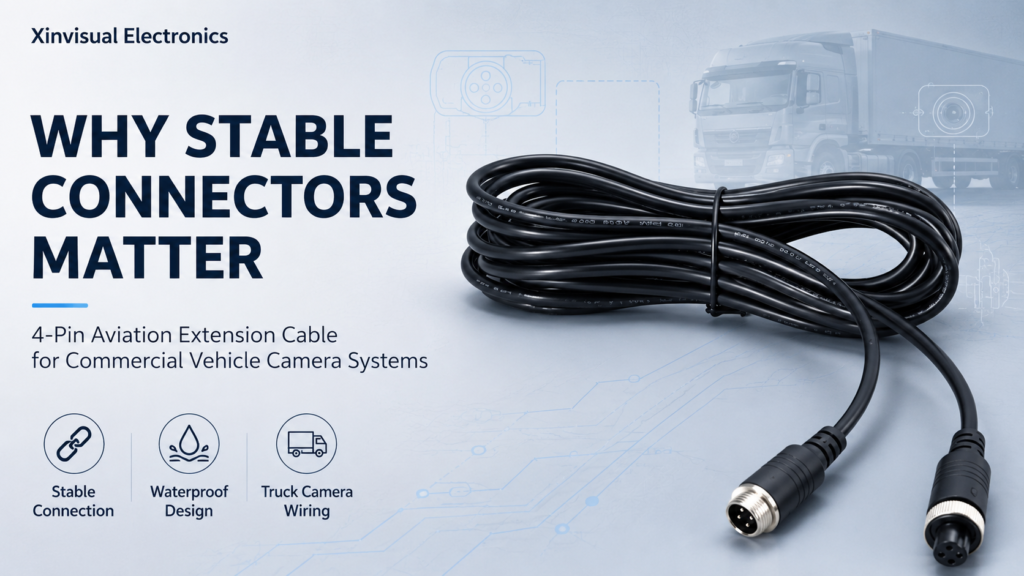
Why Stable Connectors Matter in Commercial Vehicle Camera Systems
A commercial vehicle camera system can have a good camera, a clear monitor, and the right installation position — but still fail because of one small part: the connector.
For trucks, buses, forklifts, construction vehicles, agricultural machinery, and fleet vehicles, the vehicle camera connector is not just an accessory. It directly affects signal stability, waterproof performance, maintenance cost, image quality, and long-term system reliability.
When the connector is loose, poorly sealed, mismatched, or not designed for vehicle vibration, the driver may see a black screen, flickering image, unstable signal, or intermittent camera failure. In safety applications, that is not a small problem. It can affect reversing, side visibility, blind spot monitoring, and daily fleet operation.
This is why B2B buyers should pay close attention to waterproof connector quality, aviation connector structure, and complete truck camera wiring design before choosing a commercial vehicle camera system.
The Connector Is Often the Weak Point in a Camera System
Many buyers compare camera resolution, night vision, monitor size, and IP rating first. These are important.
But in real vehicle applications, failures often happen at connection points.
A camera system usually includes:
- Vehicle camera
- Extension cable
- Connector
- Monitor input cable
- Power wire
- Trigger wire
- Bracket
- Waterproof sealing
- Vehicle power supply
- Grounding point
Every connection point is a possible failure point.
A poor connector can cause:
- No video signal
- Image flickering
- Color distortion
- Intermittent black screen
- Water entering the cable joint
- Corrosion on metal pins
- Loose contact after vibration
- Signal loss over long cable runs
- Higher after-sales and warranty claims
For fleet managers, this means downtime.
For installers, it means repeat service calls.
For distributors, it means customer complaints.
For OEM engineers, it means integration risk.
Common Connector Problems in Commercial Vehicle Camera Systems
1. Water Ingress
Commercial vehicles often work in rain, snow, mud, washdown areas, and high-humidity environments.
If the connector is not properly sealed, water can enter the cable joint. Once moisture reaches the pins, it may cause corrosion, short circuits, unstable video, or complete camera failure.
This is especially common in:
- Rear camera installations
- Side camera installations
- Trailer camera systems
- Forklift washdown areas
- Agricultural machinery
- Construction equipment
- Waste collection vehicles
- Outdoor fleet vehicles
A good waterproof connector should help protect the signal and power connection from water, dust, and moisture.
2. Loose Contact from Vibration
Commercial vehicles vibrate constantly.
Trucks operate on highways and rough roads.
Forklifts stop and start frequently.
Construction machines work on uneven ground.
Agricultural vehicles face shock, dust, and outdoor vibration.
If the connector has no secure locking structure, the connection may become loose over time.
This can lead to:
- Screen flicker
- Temporary signal loss
- Camera image disappearing when the vehicle moves
- Unstable image after bumps
- Driver complaints
- Hard-to-diagnose installation problems
For this reason, many B2B vehicle camera systems use an aviation connector with threaded locking or secure coupling.
3. Mismatched Pin Definition
Not all camera connectors are wired the same way.
Two connectors may look similar, but the pin definition can be different. Power, ground, video signal, audio, trigger, and shielding may not match.
This can create problems such as:
- Camera not powering on
- Monitor showing no image
- Video signal interference
- Wrong audio connection
- Short circuit risk
- System incompatibility
Before replacing a camera, cable, or monitor, buyers should confirm the connector pinout and wiring definition.
For distributors and installers, this is especially important when mixing products from different suppliers.
4. Poor Cable Strain Relief
The connector is not only about the plug. The cable exit design also matters.
If the cable bends sharply at the connector, repeated movement can damage the inner wire. This may not fail immediately, but after months of operation, the image can become unstable.
Good connector design should consider:
- Cable strain relief
- Bend protection
- Sealed cable exit
- Strong outer jacket
- Stable crimping or soldering
- Resistance to pulling and twisting
- Suitable cable length for installation
For trucks and heavy machinery, cable protection is part of system durability.
5. Signal Interference
AHD and CVBS vehicle cameras rely on stable video signal transmission. Long cable runs, poor shielding, bad grounding, or low-quality connectors can cause signal interference.
Possible symptoms include:
- Image noise
- Rolling lines
- Unstable color
- Flickering video
- Delayed image response
- Poor night image quality
- Signal loss when other equipment is powered on
In a professional commercial vehicle camera system, cable shielding, connector quality, power stability, and monitor compatibility must work together.
Why Aviation Connectors Are Common in Vehicle Camera Systems
An aviation connector is widely used in vehicle camera systems because it provides a more secure connection than simple plug-in connectors.
In commercial vehicle applications, aviation-style connectors are often selected for:
- Better locking structure
- More stable contact
- Stronger vibration resistance
- Better sealing performance
- Easier field installation
- Clear pin arrangement
- Reliable power and video transmission
Common configurations may include 4-pin, 5-pin, or customized pin designs depending on the camera, monitor, audio, power, and signal requirements.
For B2B buyers, the key is not only whether the connector is called an aviation connector. The real questions are:
- Is the connector waterproof?
- Does it lock securely?
- Is the pin definition clear?
- Is it compatible with the monitor?
- Is the cable length suitable?
- Is the connector suitable for outdoor installation?
- Is the supplier able to provide replacement cables?
Application Scenarios: Where Connector Stability Matters Most
Logistics Trucks: Long Cable Runs and Weather Exposure
Logistics trucks often use rear, side, and front cameras. The rear camera cable may run from the back of the vehicle to the dashboard monitor, which creates a long wiring path.
In this situation, truck camera wiring must be carefully designed.
Important points include:
- Stable rear camera connector
- Waterproof cable joints
- Proper cable routing
- Avoiding sharp bends
- Protection near doors and chassis
- Good signal shielding
- Correct trigger wire connection
- Secure monitor input connection
If the rear camera connector fails, the driver may lose reversing visibility at the wrong moment.
Forklifts: Frequent Vibration and Tight Installation Space
Forklifts operate in warehouses, loading zones, factories, and cold storage areas. They stop, start, turn, lift, and reverse repeatedly.
Connector stability is important because forklifts often face:
- Frequent vibration
- Narrow installation space
- Cold storage humidity
- Cable bending during steering or mast movement
- Dust and warehouse debris
- Repeated operator shifts
For forklift camera systems, a loose connector can create intermittent image loss, which is difficult for operators and maintenance teams.
A compact, secure, and waterproof connector design helps reduce these issues.
Heavy Machinery: Dust, Mud, Shock, and Washdown
Construction vehicles, mining machines, agricultural equipment, and waste collection trucks work in harsh environments.
The connector may be exposed to:
- Mud
- Dust
- Rain
- High-pressure washing
- Road salt
- Strong vibration
- Shock
- Temperature changes
For these vehicles, a waterproof connector and sealed cable structure are essential. The camera may be IP69K rated, but if the connector is weak, the system can still fail.
This is why buyers should evaluate the full camera, cable, and connector assembly instead of only checking the camera housing.
Technical Solutions for Reliable Truck Camera Wiring
1. Use Waterproof Connectors for Outdoor Cameras
Outdoor cameras should use sealed connectors designed for vehicle applications.
A good connector should support:
- Water resistance
- Dust protection
- Stable mechanical locking
- Good pin contact
- Sealed cable exit
- Corrosion resistance
- Reliable performance after repeated vibration
For rear cameras, side cameras, and exterior truck camera installations, waterproofing should not be optional.
2. Choose Aviation Connectors for Secure Locking
An aviation connector can help reduce loose contact in high-vibration environments.
The locking structure keeps the connection stable even when the vehicle is moving on rough roads or operating in industrial environments.
This is especially useful for:
- Trucks
- Buses
- Forklifts
- Agricultural vehicles
- Construction machinery
- Trailers
- Municipal vehicles
For B2B projects, aviation connectors also make the system easier to service because the connection is more standardized and easier to identify.
3. Confirm Pin Definition Before Installation
Before connecting the camera to the monitor, confirm the pin definition.
Check:
- Power input
- Ground
- Video signal
- Audio signal if used
- Shielding
- Trigger wire
- Connector orientation
- Cable extension compatibility
If the connector looks the same but the pin definition is different, the system may not work.
For distributors, keeping a pinout reference sheet can reduce installation mistakes and after-sales questions.
4. Protect Cable Routing
Even the best connector can fail if the cable is poorly installed.
Good truck camera wiring should avoid:
- Sharp bending
- Loose hanging cables
- High-heat areas
- Moving mechanical parts
- Door pinch points
- Unprotected chassis areas
- Water collection points
- Over-stretched cable runs
Use cable clips, protective sleeves, proper routing, and suitable extension cable lengths to improve long-term stability.
5. Match the Connector with the Camera and Monitor System
A reliable camera system depends on system matching.
Buyers should confirm:
- Camera signal type: AHD or CVBS
- Monitor input type
- Connector type
- Pin definition
- Cable length
- Power voltage
- Trigger function
- DVR compatibility
- Waterproof rating
- Installation environment
A connector is a small part, but it connects the full system together.
Buyer Checklist for Vehicle Camera Connectors
For Fleet Managers
- Are camera failures causing vehicle downtime?
- Do drivers report flickering images or black screens?
- Are cameras installed outside the vehicle?
- Are vehicles exposed to rain, snow, mud, or washdown?
- Are connectors easy to inspect and replace?
- Is the system stable after long-term use?
For OEM Engineers
- What connector type is required?
- Is the pin definition documented?
- Is the cable shielded for video transmission?
- What vibration level must the connector handle?
- Is the connector suitable for the vehicle temperature range?
- Does the installation require customized cable length?
- Are EMC and grounding issues considered?
For B2B Distributors
- Can the connector type be clearly explained to customers?
- Are replacement cables available?
- Is the connector compatible with existing monitors?
- Does the supplier provide wiring diagrams?
- Can the system be sold as a complete camera and monitor kit?
- Will connector quality reduce warranty claims?
For Installers
- Is the cable long enough for the vehicle?
- Is the connector orientation correct?
- Is the locking structure tightened properly?
- Is the cable protected from sharp edges?
- Is the connector exposed to water?
- Is the trigger wire connected correctly?
- Has the image been tested after vibration or movement?
Common Mistakes to Avoid
Mistake 1: Only Checking the Camera IP Rating
A camera may have a high waterproof rating, but the full system can still fail if the connector is not sealed properly.
For outdoor vehicles, check both the camera housing and connector waterproof design.
Mistake 2: Mixing Cables from Different Suppliers Without Checking Pinout
Different suppliers may use different pin definitions even when the connector shape looks similar.
Always confirm compatibility before mixing cameras, cables, and monitors.
Mistake 3: Using Indoor Connectors for Outdoor Vehicles
Indoor-style connectors may work in a test room but fail on trucks, forklifts, or heavy machinery.
Outdoor vehicle camera systems need connectors designed for vibration, moisture, and temperature changes.
Mistake 4: Ignoring Cable Routing During Installation
Many camera failures are caused by poor cable routing, not product quality alone.
A good installation should protect the cable and connector from movement, water, impact, and tension.
How Xinvisual Electronics Supports Stable Camera System Connections
At xinvisual electronics, we understand that a vehicle camera system is not only about the camera image. The stability of the full system depends on the camera, monitor, cable, connector, power input, and installation environment.
Our vehicle camera and monitor solutions can support:
- Rear-view camera systems
- Side-view camera systems
- Front-view camera systems
- Forklift camera systems
- Truck camera wiring solutions
- AHD and CVBS camera options
- Waterproof connector options
- Aviation connector configurations
- Multi-camera vehicle monitor systems
- Heavy-duty applications for trucks, buses, forklifts, agricultural machinery, and construction vehicles
Depending on the project, we can help B2B buyers consider:
- Connector type
- Cable length
- Monitor compatibility
- Camera signal format
- Waterproof requirements
- Trigger wire setup
- Vehicle voltage range
- Installation position
- Replacement cable support
For distributors, installers, fleet service companies, and OEM projects, stable connection design helps reduce after-sales problems and improve long-term system reliability.
Conclusion
A stable vehicle camera connector may look like a small detail, but it has a direct impact on the performance of a commercial vehicle camera system.
A weak connector can cause signal loss, water ingress, image flickering, corrosion, and driver complaints. A reliable connector helps the system work consistently in real vehicle environments.
For B2B buyers, the best approach is to evaluate the full connection path:
Camera.
Cable.
Connector.
Monitor.
Power.
Trigger wire.
Installation environment.
When these parts are matched correctly, the camera system is more reliable, easier to install, and better suited for daily fleet operation.
Call to Action
Need a reliable vehicle camera system with stable connectors and practical wiring support?
Contact Xinvisual Electronics to discuss your vehicle type, camera position, monitor input, connector requirement, and cable length.
You can request a sample, ask for a B2B quotation, or consult our team for a suitable camera and monitor configuration.
FAQ
Q1: Why is the vehicle camera connector important?
The vehicle camera connector is important because it carries video, power, and sometimes audio or trigger signals between the camera and monitor. If the connector is loose, poorly sealed, or incompatible, the system may suffer from flickering images, signal loss, water ingress, corrosion, or complete camera failure.
Q2: What is the difference between a waterproof connector and an aviation connector?
A waterproof connector focuses on sealing the cable joint against water, dust, and moisture, while an aviation connector usually refers to a secure multi-pin connector with a locking structure. In vehicle camera systems, many aviation connectors are also designed with waterproof features for outdoor and high-vibration applications.
Q3: What causes truck camera wiring problems?
Truck camera wiring problems are often caused by poor cable routing, loose connectors, mismatched pin definitions, weak shielding, water ingress, sharp cable bends, or incorrect trigger wire connections. Long cable runs on trucks also increase the need for stable connectors and good signal protection.
Q4: Should B2B buyers choose aviation connectors for commercial vehicle cameras?
B2B buyers should consider aviation connectors when the camera system is used on trucks, buses, forklifts, trailers, or heavy machinery exposed to vibration, water, and outdoor conditions. Aviation connectors with locking and sealing structures can improve connection stability and reduce after-sales issues.