

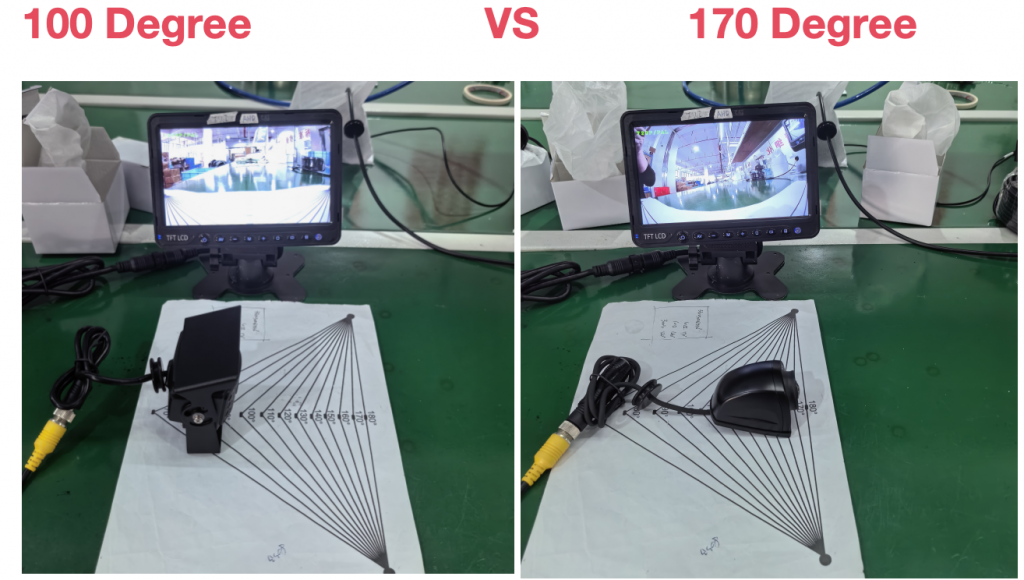
When buyers compare a 100° and 170° rear view camera, the larger number can look like the obvious choice. In practice, the two figures may not describe the same dimension. One supplier may publish horizontal field of view, while another publishes diagonal field of view. Even when the measurement direction is the same, the installed image can change with the camera position, mounting height, vehicle body and target area.
The useful purchasing question is therefore not simply, “Which number is larger?” It is: “Which camera, installed in the planned position, shows the required area with an image the operator can use?”
Quick Answer
A higher viewing-angle number does not automatically mean a better rear view camera. Before comparing 100° and 170°, confirm whether both values are horizontal, vertical or diagonal and whether they were measured on a comparable basis. Then review the actual image from the intended mounting position.
A wider field of view can include more of a scene when the measurement direction and test conditions are comparable. However, the angle number alone does not prove image detail, distance judgment, blind-spot coverage, low-light performance or suitability for a particular vehicle. The correct choice depends on the required target area and the complete camera, monitor and installation configuration.
Understanding Horizontal, Vertical and Diagonal FOV
Field of view, or FOV, describes the angular extent of the scene captured by a camera. The measurement direction must be stated with the number.
| FOV term | What it describes | Why it matters to a buyer |
|---|---|---|
| Horizontal FOV | The visible span from left to right | Useful when the project is concerned with lateral scene coverage |
| Vertical FOV | The visible span from top to bottom | Relevant when the view must include both a near area and a higher or more distant reference point |
| Diagonal FOV | The visible span from one image corner to the opposite corner | Often produces a larger number, but it cannot be compared directly with a horizontal or vertical figure |
For example, a diagonal value and a horizontal value may both be technically correct for their respective cameras, yet they do not answer the same question. Image aspect ratio, lens design, sensor area and the manufacturer's measurement method can also affect the stated figure.
When a product listing gives an angle without identifying the direction, treat it as incomplete comparison data. Ask for the measurement axis or an actual sample image instead of assuming that the value is horizontal.
Does a Wider Angle Always Mean Better Visibility?
Not by itself. A wider angle can place more of the surrounding scene within the frame under comparable conditions. At the same time, the available pixels must represent that larger scene, so objects may occupy a smaller portion of the image. Lens design and image processing also affect how straight lines and objects appear near the edges.
These are characteristics to inspect in the actual image, not universal results that can be assigned to every camera with a particular angle. A buyer should avoid assuming that one viewing angle will always provide better distance judgment, fewer blind spots or less distortion.
Compare the target area, not only the frame width
Start by identifying what must be visible: a coupling point, the area immediately behind the vehicle, a loading-bay edge, a pedestrian approach zone or a wider rear traffic scene. A camera can show a broad scene and still fail to show a critical target because of its position, angle or an obstruction on the vehicle.
Check useful detail on the intended display
The monitor size, resolution, displayed layout and video format affect what the operator sees. A camera specification should therefore be reviewed as part of a complete signal chain. Confirm the camera output, monitor or recorder input, connector, cable and display mode for the selected configuration.
Validate the installed image
Where possible, compare cameras from the same mounting point with the same vehicle and target markers. Use the same monitor or recording setup. This gives buyers a more reliable basis than comparing isolated degree figures from different data sheets.
How Mounting Position Changes the Result
Mounting height and position shape the final view. A high location may provide a broader overview, but vehicle bodywork can hide the area closest to the rear. A lower location may show the near area differently, but a hitch, bumper, cargo or moving equipment may obstruct part of the scene.
Camera tilt also changes the balance between near and far content. A steep downward angle may emphasize the ground close to the vehicle while reducing the distant view. A shallower angle may show more rearward context while leaving less of the nearest ground area in frame.
There is no universal mounting height or camera angle for every commercial vehicle. Buyers should record the proposed camera position, orientation, available bracket space, cable route and target area before approving a sample.
Viewing Angle Considerations for Different Vehicles
Vehicle type provides context, but it does not create an automatic angle recommendation.
Trucks
For a truck, define whether the camera is intended for reversing, loading-bay alignment, coupling, continuous rear observation or another task. Check the rear body, bumper, doors and cargo for possible obstructions. Include the intended mounting height and monitor configuration in the comparison.
Buses and coaches
For a bus or coach, consider the body width, rear profile, installation access and the area the driver must observe during reversing or depot maneuvering. Confirm that the selected camera and monitor system are compatible and that the camera position can be serviced.
Trailers
A trailer installation may require a longer cable route, additional connectors or a defined interface between tractor and trailer. Confirm the complete cable and connector arrangement as well as the image. If trailers are exchanged between tractors, document the required system compatibility for the project rather than assuming it from the viewing angle.
Forklifts and industrial vehicles
On a forklift or industrial vehicle, the mast, forks, load and other moving structures can change or obstruct the view. Evaluate the camera position through the relevant operating range. Keep cables, connectors and brackets clear of moving parts and service points.
Five Steps to Choose a Rear View Camera
1. Define the viewing task
Write down the exact area and operating condition the camera must support. Avoid broad requirements such as “maximum visibility.” Use project-specific targets that can be checked during a sample review.
2. Document the installation
Record the vehicle type, proposed mounting location, height, orientation, available space, cable route and likely obstructions. A photo or drawing is useful when discussing the project with a supplier.
3. Compare like with like
Confirm whether every angle is horizontal, vertical or diagonal. Do not rank two cameras by angle unless the measurement direction and basis are comparable. If the axis is missing, request clarification or use sample images for evaluation.
4. Check the complete system
Confirm video format, resolution, power requirements, connector and pin assignment, cable assembly, monitor or recorder input and required display behavior for the exact selected configuration. Viewing angle does not establish electrical or video compatibility.
5. Approve an installed or representative image
Place target markers in the required near, middle and far areas. Check whether each target is visible and useful on the intended display. Record the approved camera, mounting position and system configuration so that the sample and production order refer to the same setup.
Practical Camera Comparison Table
| Check | What to request or record | Do not assume |
|---|---|---|
| Measurement direction | Horizontal, vertical or diagonal | The largest number is horizontal |
| Mounting position | Height, orientation and vehicle location | One position works for every vehicle |
| Target area | Required near, middle and far zones | A wider number covers every blind area |
| Image review | Same position, targets, display and format | Angle alone proves usable detail |
| System compatibility | Video format, power, connector, cable and monitor input | Cameras and monitors connect because their resolutions sound similar |
| Environment | Exposure, cleaning, temperature and service access required by the project | One product specification applies to every installation |
| Sample approval | Exact camera and system configuration | A family name identifies every option |
Xinvisual Rear View Camera Options
The following product pages are useful starting points for project discussions. They are not presented as a direct 100° versus 170° comparison, and no unconfirmed viewing-angle figure is used here.
AHD Reversing Camera with IR Night Vision
This option combines AHD video, IR night vision and a mounting bracket for vehicle-camera projects. Buyers should confirm the exact output, connector, power, monitor compatibility and required image with Xinvisual for the selected configuration.
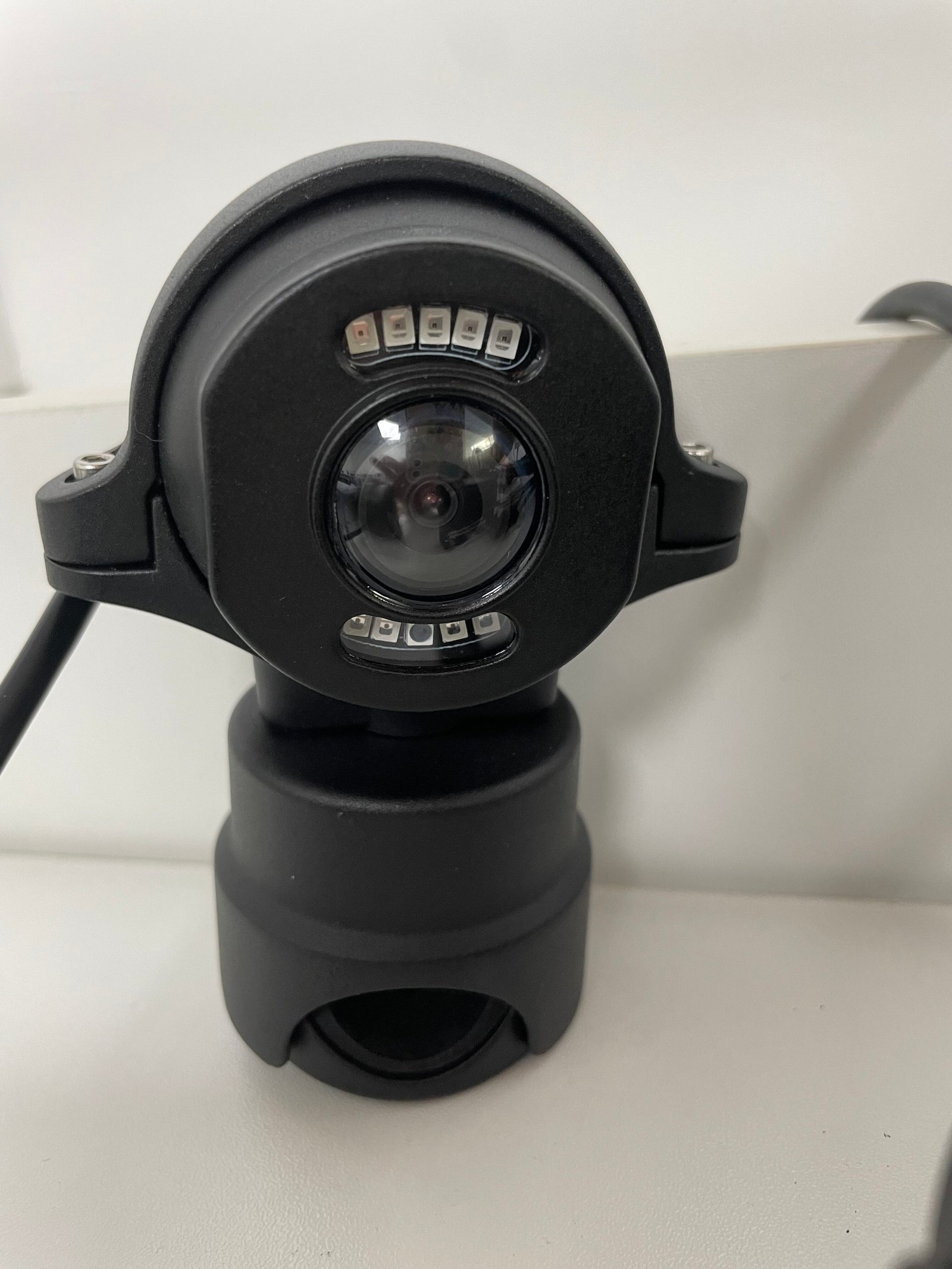
AHD reversing camera with IR night vision and mounting bracket.
Review the AHD Reversing Camera with IR Night Vision
Heavy-Duty Waterproof Vehicle Camera
This IP69K-rated camera is an option to review where a commercial-vehicle project requires a heavy-duty waterproof camera. Confirm the exact camera format, electrical interface, connector, mounting arrangement and image requirements for the selected system.
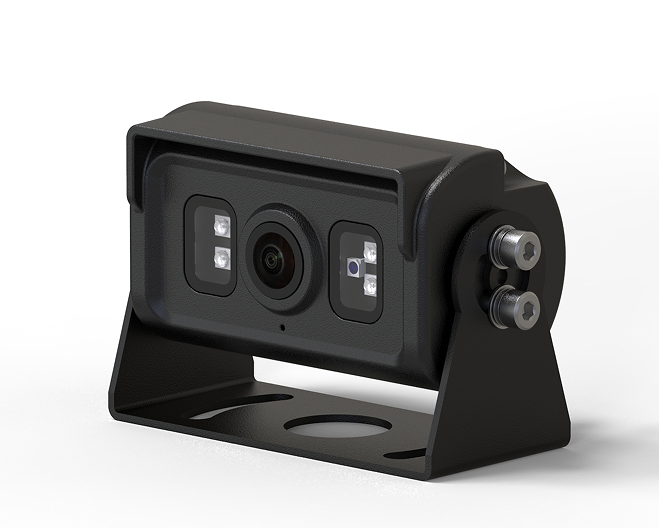
Heavy-duty waterproof vehicle camera for commercial vehicles.
Review the Heavy-Duty Waterproof Vehicle Camera
Buyers can also compare the wider vehicle camera range and check available vehicle monitors when planning a complete system. For projects focused on washdown and environmental exposure, the IP69K waterproof vehicle camera guide explains additional selection points.
B2B Buyer Checklist
Before requesting a quotation or approving a camera sample, confirm:
- Vehicle type and body configuration
- Camera mounting location, height and orientation
- Target viewing area and operating task
- Horizontal, vertical or diagonal measurement direction for any angle being compared
- Representative image from the proposed position, where available
- Camera video format and resolution
- Monitor, recorder or host video input requirements
- Power supply and wiring requirements
- Connector type, pin assignment and cable length
- Environmental exposure and cleaning conditions
- Bracket space, cable route and service access
- Mirror or normal image requirement, where applicable
- Expected sample and production quantity
- Exact configuration to be recorded on the quotation and sample approval
FAQ
Is a 170° rear view camera always better than a 100° camera?
No. First confirm that both figures use the same measurement direction and a comparable method. Then compare the actual installed images against the required viewing area. The larger number alone does not establish overall camera suitability.
What is the difference between horizontal and diagonal field of view?
Horizontal FOV measures the image from left to right. Diagonal FOV measures from one corner to the opposite corner. They describe different dimensions and should not be compared as if they were the same measurement.
Does a wider camera angle eliminate blind spots?
Not automatically. The visible area also depends on camera position, vehicle geometry, obstructions, tilt and the target zone. Review the installed image and consider any other visibility measures required by the application.
Does mounting height affect the camera view?
Yes. Mounting height and tilt change how much near-ground area, vehicle body and distant scene appear in the frame. Test the proposed position on the intended vehicle or a representative installation.
What should buyers check before ordering a rear view camera?
Confirm the FOV measurement direction, mounting position, target viewing area, actual sample image, video format, power, connector, cable and monitor or recorder compatibility. Record the approved configuration before ordering.
Request a Rear View Camera Recommendation
For a project-specific recommendation, send Xinvisual the vehicle type, camera mounting location, target viewing area, working environment, monitor or video input requirements and expected quantity. Photos or drawings of the proposed installation area can help clarify the required view.
Request a Rear View Camera Recommendation