

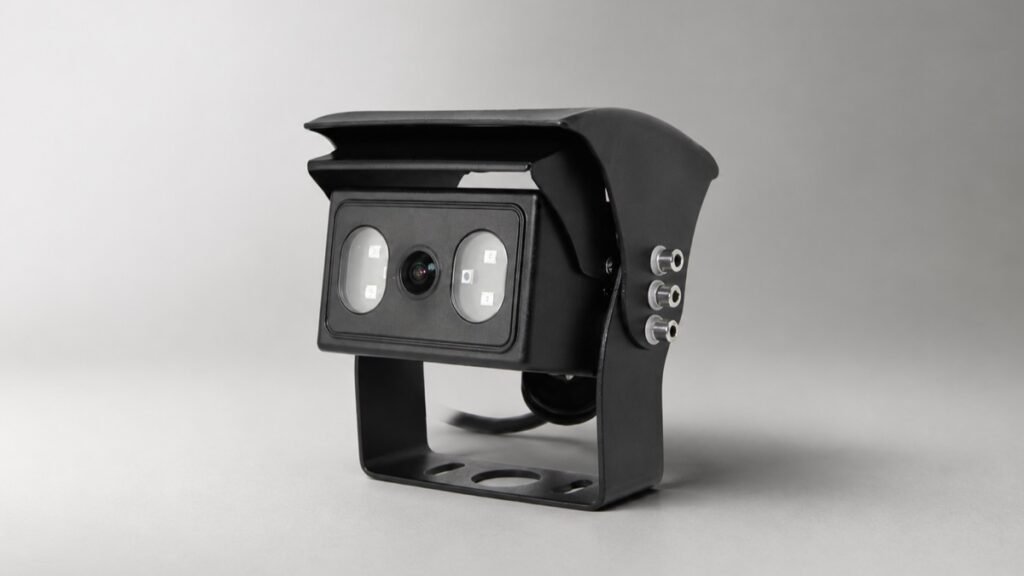
A vehicle camera can face a bright loading-bay entrance while the reversing area remains in shade. A side camera can move from a covered depot into direct sun. In these scenes, the brightest and darkest parts of the image compete for exposure. If the buyer approves the camera under even office lighting, the installed view may not answer the real visibility question.
Backlight compensation, often shortened to BLC, is one specification buyers encounter when comparing cameras for these conditions. Two available Xinvisual camera specifications list BLC as automatic. That is useful evidence that the field exists in those configurations, but it is not a performance guarantee. The source documents do not define the algorithm, adjustment area, menu control, response time, or a shared test method.
The right purchasing approach is therefore simple: document the exact camera configuration, define the high-contrast scene, and approve the complete image path using a representative sample. This guide explains how to do that without treating one feature label as a substitute for an installed test.
What Backlight Compensation Means for a Vehicle Camera Buyer
In general camera terminology, backlight compensation is intended for a scene where a bright source behind the subject can leave the subject or target area underexposed. How a particular camera analyzes and adjusts the scene depends on its implementation. That distinction matters in procurement.
An RFQ line that says only “BLC required” leaves several questions unanswered:
- Is BLC automatic, selectable, or fixed in the ordered configuration?
- Which part of the image should remain useful to the driver?
- How much bright background can be sacrificed before the view becomes unacceptable?
- Does the camera feed a monitor directly, pass through a transmitter, or enter an MDVR?
- Which lens, signal, cable, monitor, and display settings are included in the approved sample?
Available Xinvisual specifications support only the statement that BLC is listed as Auto for the two reviewed camera references. Buyers should request sample evidence for the intended scene rather than infer behavior that the documents do not define.
Application Scenarios That Need a High-Contrast Test
Reversing Between a Warehouse and an Outdoor Yard
A camera mounted at the rear of a truck or industrial vehicle may look from a dim warehouse toward a bright open door, or in the opposite direction. The useful target could be a worker, dock edge, pallet, bollard, or vehicle body. The test must begin with that target, not with a generic image-quality judgment.
Record the mounting height, direction of travel, expected distance, time of day, and whether the vehicle pauses at the threshold. Use the same monitor and cable path planned for production. Xinvisual's vehicle camera category can help identify housing and application options, but the final camera version still needs scene-based approval.
Side View Along a Bus, Truck, or Work Machine
One side of a long vehicle may be shaded while the road, sky, or reflective building behind it is bright. The priority may be a curb line, wheel area, adjacent lane, passenger door, or equipment edge. A visually bright image is not automatically a useful one; buyers need to verify whether the required target remains identifiable at the intended monitor size.
Lens choice and mounting geometry remain separate decisions. The existing vehicle camera focal-length guide owns the detailed lens-selection intent, while the rear-view camera angle guide explains why a wider view can make a target appear smaller.
AI or Recorded Systems
If the image also enters an AI or recording workflow, keep the acceptance criteria separate. A driver-view test does not prove detection accuracy, and a camera specification does not prove a recorder's stored detail. The reviewed AI-camera reference lists Auto BLC, but it does not provide detection accuracy, response, or regulatory evidence. Those claims are excluded and would require model-specific validation.
Technical Considerations Before Product Selection
1. Treat BLC, Dynamic Range, Shutter, Gain, and White Balance as Different Fields
The reviewed specifications list BLC, dynamic range, electronic shutter, automatic gain control, and automatic white balance separately. Do the same in the RFQ. Do not combine them into a general “good in all lighting” claim.
One reviewed wired-camera reference lists Auto BLC, 81 dB dynamic range, automatic gain control, automatic white balance, and an electronic-shutter range from 1/30 (1/25) to 1/50,000 second. The reviewed 720P AI-camera reference lists Auto BLC, 83 dB dynamic range, automatic gain control, automatic white balance, and an electronic-shutter range from 1/25 to 1/50,000 second. The source workbooks do not state a common laboratory method, so these values should not be used for a cross-model performance ranking.
2. Match the Complete Video Chain
The camera is only the first stage. The reviewed references list 1.0 Vp-p, 75-ohm video output, but that line alone does not confirm the ordered signal format, connector pinout, cable, monitor input, recorder input, or display setting. Confirm each interface in the sample bill of materials.
If a buyer is comparing signal families, the AHD versus analog vehicle camera guide covers that decision in more detail. Keep the BLC test focused on the approved configuration rather than changing the camera, monitor, cable, and display setting at the same time.
3. Define the Target Area Before Testing
“Clear image” is too vague for a purchase specification. Define the part of the scene the operator must use: the last two meters behind a body, a wheel path, a person-sized target near the vehicle, an attachment edge, or a lane boundary. Then identify the bright source that makes the test difficult.
Capture the result at the driver or operator position. A full-resolution file viewed on a laptop may reveal detail that is not visible on the installed monitor, especially in a split-screen layout.
4. Check Both the Dark Target and Bright Background
BLC can prioritize a darker target in a backlit scene, but a buyer still needs to decide how much highlight loss is acceptable. The acceptance record should include both questions:
- Can the required target be identified at the operating position?
- Does the bright area retain enough context for the task?
There is no universal answer. A reversing camera may prioritize the near-ground target, while a side-view camera may need broader scene context. The selected balance must match the application.
5. Separate Daylight Contrast from Night Vision
A backlit daytime scene and an infrared night scene are different tests. Auto BLC does not establish night-vision distance, infrared performance, or headlight handling. If the system must work at night, create a separate acceptance step for ambient light, infrared configuration, target distance, lens cleanliness, and nearby reflective surfaces.
6. Confirm Whether the Ordered Version Matches the Sample
Camera families can include options for resolution, frame rate, viewing angle, image direction, power input, audio, and lighting configuration. Mark the selected version in the quotation, purchase order, and approval record. Repeat orders should reference the approved bill of materials rather than a family name alone.
Available Xinvisual Specification Examples
The table below summarizes only fields confirmed in two available Xinvisual workbooks. It is not a performance ranking and does not identify a universal best camera.
| Reference Configuration | Confirmed Imaging Fields | BLC and Related Fields | Buyer Action |
|---|---|---|---|
| Wired 1080P camera reference | 1/2.9-inch CMOS; selected 1920 x 1080 effective pixels; 25/30 frame-rate options; progressive scanning; 1.0 Vp-p, 75-ohm output | Auto BLC; 81 dB dynamic range; Auto AGC and white balance; shutter 1/30 (1/25) to 1/50,000 second | Lock the exact resolution, frame rate, lens, signal, connector, power version, monitor, and scene test. |
| 720P AI-camera reference | 1/3-inch CMOS; 1280 x 720 effective pixels; 25 fps; progressive scanning; 1.0 Vp-p, 75-ohm output | Auto BLC; 83 dB dynamic range; Auto AGC and white balance; shutter 1/25 to 1/50,000 second | Test the image path, then validate any detection or alarm function separately with model-specific evidence. |
Neither source defines the BLC algorithm, adjustable region, menu access, response time, or test method. Those fields are unconfirmed and should not be presented as standard product capabilities.
A Practical Vehicle Camera Sample Test
Step 1: Freeze the Test Configuration
Record the camera version, lens or listed angle, image direction, power input, connector, cable, monitor or recorder, input channel, display mode, and relevant settings. Photograph or label the setup so the result can be reproduced.
Step 2: Create Representative Scene Pairs
Use at least one evenly lit reference scene and one high-contrast scene from the intended application. Keep camera position and target distance consistent. If daily operation includes a warehouse doorway, canopy edge, or reflective facade, test that condition rather than substituting a desk lamp.
Step 3: Review from the Operating Position
Check the installed monitor at the normal viewing distance and in the planned single-view or split-view mode. Record whether the required target is identifiable, whether important context is lost, and whether the result changes during the light transition.
Step 4: Retain Evidence for Production Approval
Save dated images or short clips, the bill of materials, settings, test conditions, and acceptance decision. If the sample changes, repeat the test. This record gives distributors, integrators, and OEM teams a clearer basis for repeat orders and supplier discussions.
Common Buyer Mistakes
Approving “Auto BLC” Without an Installed Sample
The label confirms a specification field, not a result in every mounting position or lighting condition.
Comparing dB Values Without a Shared Test Method
Dynamic-range figures are not directly comparable when the source does not define a common method. Use them as documented fields, then compare representative samples.
Changing Several Components During the Test
If the camera, lens, monitor, cable, and display setting all change, the buyer cannot identify the cause of a better or worse image. Freeze the chain first.
Judging a Full-Resolution File Instead of the Driver's Screen
Approval should include the actual monitor size, viewing distance, brightness environment, and split-screen mode.
Reusing a Daylight Approval for Night Operation
High-contrast daylight, low light, infrared, and headlight exposure require separate checks.
Buyer Checklist
- Camera task, vehicle type, and mounting position recorded
- Required target area and target distance defined
- Bright background or transition condition documented
- Exact camera version and Auto BLC field confirmed
- Resolution, frame rate, lens or angle, and image direction locked
- Dynamic range, shutter, AGC, and white-balance fields recorded separately
- Signal format, 75-ohm video path, connector, pinout, and cable confirmed
- Monitor or recorder input and display mode matched
- Even-light and high-contrast scene pairs captured
- Stationary and controlled transition checks completed where relevant
- Driver or operator screen reviewed at normal viewing distance
- Daylight and night tests kept separate
- AI or recording performance evaluated with separate criteria
- Bill of materials, settings, evidence, and approval decision retained
- Repeat-order reference tied to the approved configuration
FAQ
What is vehicle camera backlight compensation?
Backlight compensation is a camera feature used in scenes where a bright source behind the target can leave the target underexposed. Available Xinvisual specifications list Auto BLC for the two reviewed references, but they do not define the internal algorithm or guarantee a particular installed result.
Is Auto BLC the same as a dynamic-range specification?
No. The available Xinvisual workbooks list BLC and dynamic range as separate fields. Buyers should record both and avoid comparing performance numbers across cameras unless a common test method is available.
How should a buyer test BLC before a bulk order?
Freeze the complete camera-to-display configuration, define a representative target and bright background, compare evenly lit and high-contrast scenes, review the installed monitor from the operating position, and retain images, settings, and acceptance notes.
Does Auto BLC guarantee better night vision or AI detection?
No. The reviewed sources do not support that conclusion. Night vision, infrared behavior, recorded detail, AI detection, alarm response, and regulatory compliance require separate, configuration-specific evidence and tests.
CTA
Send Xinvisual the vehicle type, camera position, required target area, lighting transition, monitor or recorder, signal format, connector, cable length, power plan, and sample criteria. Request a Vehicle Camera Configuration Review before approving the production specification.