

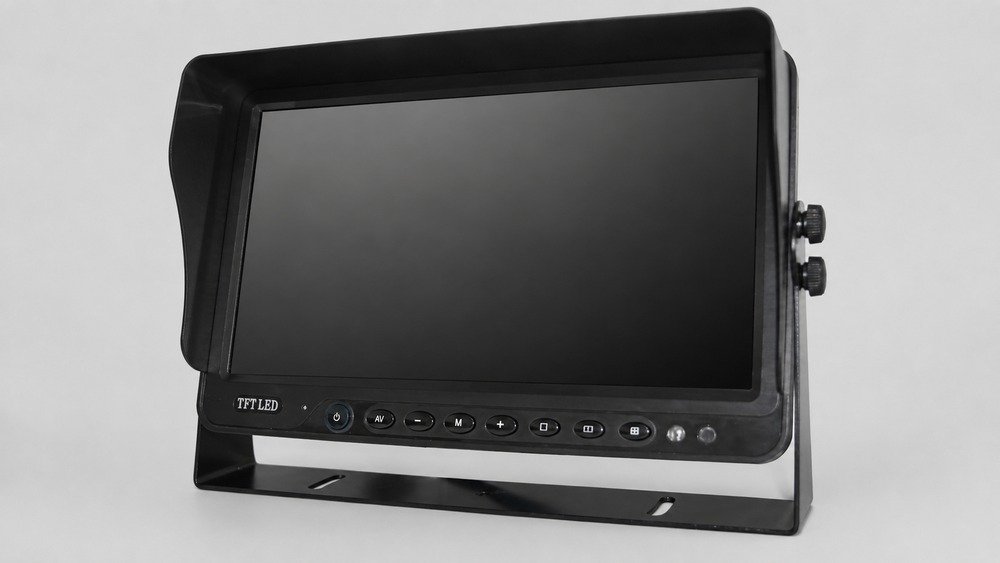
A vehicle monitor can have the right screen size, resolution, video inputs, and voltage range yet still be difficult to read from the installed operator position. One reason is display viewing angle: the range of positions from which the screen can be viewed while maintaining an acceptable image. The monitor bracket, dashboard location, cab layout, driver eye position, roof height, and intended user all affect whether the listed angle is useful in practice.
This specification is also easy to confuse with camera field of view. A camera viewing angle describes how much of the scene the lens captures. A vehicle monitor viewing angle describes where a person can sit or stand relative to the display and still see the image. Changing one does not correct the other.
Available Xinvisual product specifications show meaningful differences between monitor configurations. One 10.1-inch stand-monitor example lists 60 degrees left and right, 45 degrees upward, and 65 degrees downward. A 12.3-inch IPS mirror-monitor example lists four-direction visible angles of 85/85/85/85, while a 19-inch fixed roof-monitor example lists 85/85/80/80 with a contrast-ratio condition. These are model-specific specification examples, not a guarantee of installed visibility. They explain why B2B buyers should review the display, mount, and sample position together.
What Vehicle Monitor Viewing Angle Means
Display viewing angle is commonly stated as horizontal and vertical limits or as four directional values. A specification may use labels such as left/right/up/down, or it may list four numbers without identifying the order. The acceptance condition may also depend on a stated contrast ratio.
Do not assume that every supplier uses the same order, method, or threshold. If a quotation says only 85/85/85/85, ask the supplier to identify the direction order and test condition. If those details are unavailable, preserve the listed value as a product field but approve visibility through a physical sample.
Display Viewing Angle Is Not Camera Field of View
This distinction prevents a common sourcing error:
- Camera field of view determines the scene captured behind, beside, or in front of the vehicle.
- Monitor viewing angle determines how the displayed image changes as the viewer moves away from the screen's centerline.
A camera can capture the correct blind area while the monitor is mounted too far from the driver's direct view. Conversely, a wide-view display cannot reveal an area that the camera never captured. Buyers should approve both parts of the system independently.
For camera-side coverage decisions, use the existing vehicle camera category and camera-specific viewing-angle guidance. For display selection, begin with the commercial vehicle monitor category.
Available Xinvisual Specification Examples
The following comparison uses available Xinvisual product specifications. The angle notation and acceptance conditions are kept exactly within the limits of those source records.
| Monitor Type | Listed Display Viewing Angle | Related Available Fields | Procurement Interpretation |
|---|---|---|---|
| 10.1-inch stand monitor | Left/right 60 degrees; up 45 degrees; down 65 degrees | 1024 x 600; 500 cd/m2; 500:1 contrast; DC12V-36V | The unequal up and down values make mounting height and tilt important. Test from the real eye position rather than assuming a symmetric range. |
| 12.3-inch IPS mirror monitor | 85/85/85/85 visible angle; direction order not labeled in the source | 1920 x 720; 850 cd/m2; 800:1 contrast; 292.032 x 109.512 mm visible area; DC12V-36V | The listed four-direction value is broad, but the direction order and acceptance condition should be confirmed for the ordered configuration. |
| 19-inch fixed roof monitor | Left/right/up/down 85/85/80/80 at CR >= 10 | 1440 x 900; 500 cd/m2; 500:1 contrast; DC12V-36V; one video input | A passenger display has a different viewing geometry from a driver monitor. Check seat rows, roof position, fixed inclination, and mounting plan. |
Availability and exact specifications must be reconfirmed before ordering. The table does not establish compatibility with every camera, recorder, cable, or vehicle.
Application Scenarios
Dashboard Monitor for Rear and Side Cameras
In a truck, bus, van, or special vehicle, the driver may look at the display briefly while reversing, turning, or checking a side area. The monitor should be positioned so the required image remains readable from the normal seated posture without blocking the road view or vehicle controls.
For a bracket-mounted display, test the center position and the likely head movement range. Check whether the bracket can hold the chosen angle and whether vibration changes its position. A 10.1-inch bracket monitor provides a relevant product route, but the ordered inputs, harness, and display-angle specification still need confirmation.
Multi-Camera Display for Industrial Vehicles
Construction equipment, agricultural machinery, material-handling vehicles, and service vehicles may use full-screen, split-screen, or triggered views. The operator can be seated higher, farther from the display, or off-center because of controls and cab structure.
This is a Typical Application Scenario, not a Xinvisual customer case. During the sample test, display the actual split layout and move through the normal operating posture. Fine details that remain visible in a full-screen view may be harder to judge in a smaller pane, especially when the screen is seen from an angle.
Mirror Monitor in a Narrow Cab
A mirror monitor can use the traditional mirror area and may reduce the need for a separate dashboard mount. The buyer still needs to check whether the mounting method places the screen at a suitable height and distance for the driver. A wide display viewing angle does not by itself confirm that the screen will fit the existing mirror position or that every camera format will be supported.
The mirror monitor category can help buyers compare available form factors. Confirm the attachment method, visible area, video inputs, power, and image layout for the selected configuration.
Roof-Mounted Passenger Display
Roof monitors serve passengers rather than the driver. For a fixed roof display, the acceptance test should cover multiple seat positions, the installed screen inclination, aisle visibility, ceiling clearance, and whether the image remains acceptable in the front and rear rows. The roof-mounted monitor category is the correct product route for this use case.
Do not apply a driver-monitor requirement directly to a passenger display. The viewer locations, media purpose, mounting geometry, and service access are different.
Technical Selection and Sample-Approval Process
1. Define Who Must See the Screen
Record the primary viewer: driver, equipment operator, installation technician, or passengers. Measure the expected eye position relative to the planned screen center. For fleet or OEM programs, include the reasonable adjustment range of the seat and steering position.
2. Request the Full Angle Notation
Ask whether the stated values are horizontal/vertical or left/right/up/down. Request the order when four unlabeled values are shown. Also ask whether the viewing-angle limit uses a contrast condition such as CR >= 10. If the method is not available, mark it as unconfirmed rather than rewriting the field as a verified four-direction result.
3. Check Mounting Position and Adjustment
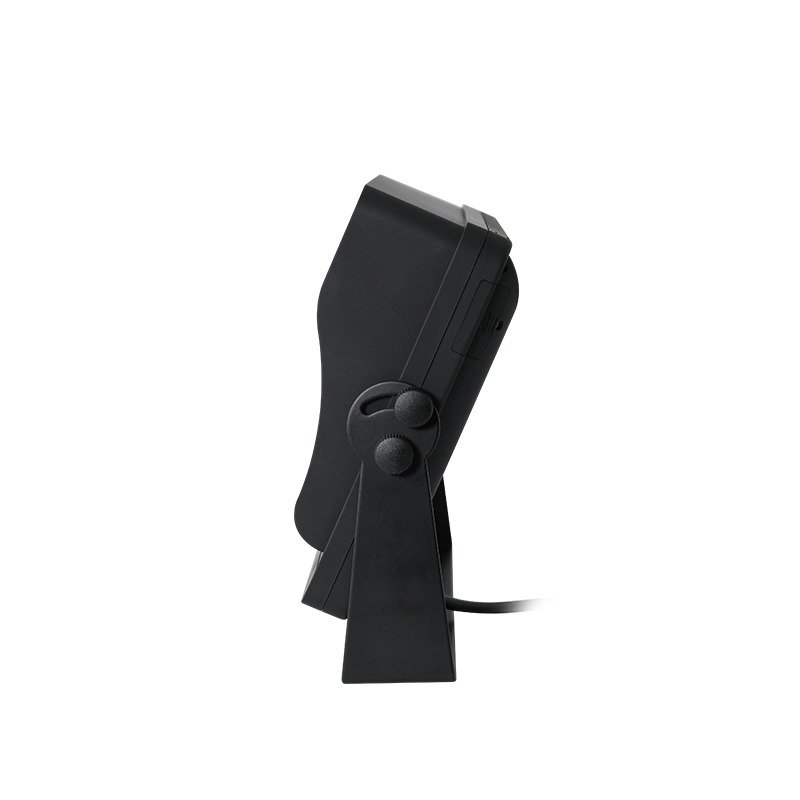
Compare dashboard, pillar, mirror, suspended, headrest, and roof locations according to the application. Confirm bracket travel, screen tilt, cable clearance, control access, and whether the mount remains stable at the approved angle. The selected position should not obstruct controls or required visibility; the installer must evaluate the target vehicle.
4. Review Brightness, Contrast, and Reflections Separately
Viewing angle is not a substitute for brightness or contrast. A screen can retain its image from an off-center position but still be hard to read under glare. The available examples above list both viewing angle and brightness because they describe different display characteristics.
Test the sample in the expected cab or cabin lighting. Review daytime reflections, low-light brightness, sunshade use, and automatic brightness behavior only when those features are confirmed for the selected monitor.
5. Confirm the Complete Video System
Display angle does not establish video compatibility. Confirm screen resolution, AHD or CVBS support, PAL/NTSC behavior, channel count, trigger behavior, connector pinout, input voltage, and camera power arrangement. If an MDVR is included, verify its output and the intended screen layout.
A 12-inch multi-input product page can provide another commercial vehicle monitor reference, but the system must still be approved as one camera-monitor-cable configuration.
6. Run an Installed Sample Test
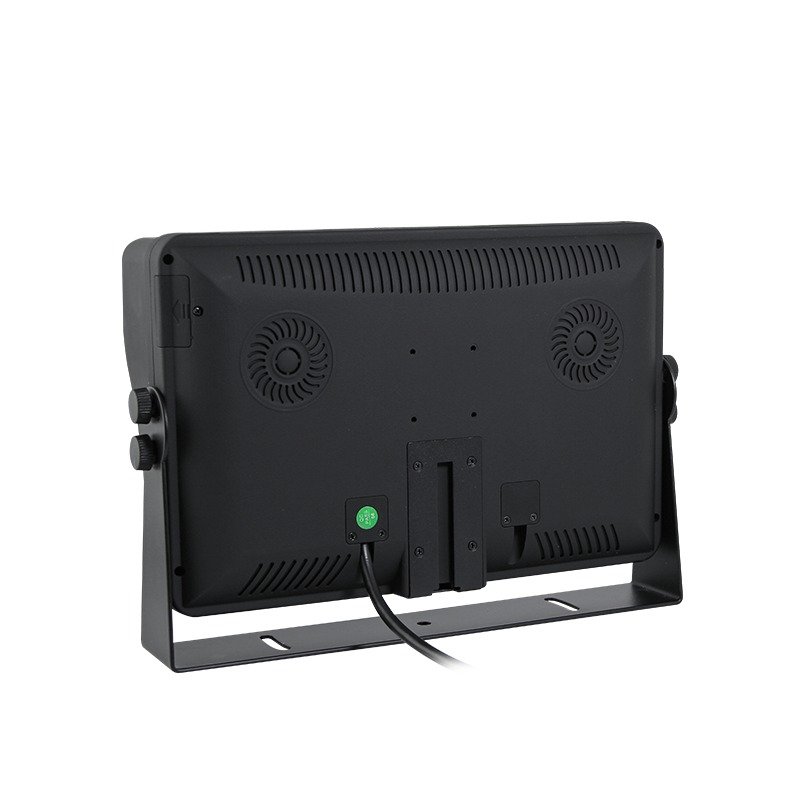
Mount the sample at the proposed location and show the exact camera views or passenger media source. Test from the normal position and the edges of the expected user range. Record whether color, contrast, target detail, menu text, and split-screen panes remain acceptable.
Save photographs of the installed monitor from each required viewing position. Record the display specification, bracket position, cable and connector configuration, camera or recorder input, screen mode, lighting condition, and acceptance decision. This creates a repeatable reference for production and later service.
Common Buyer Mistakes
Mistake 1: Confusing Display Angle with Camera Angle
The camera and monitor values describe different parts of the system. Keep both fields in the project record.
Mistake 2: Comparing Four Numbers Without Their Order
An unlabeled four-direction value cannot safely be assigned to left, right, up, and down. Ask for the order or treat it as unconfirmed.
Mistake 3: Selecting by the Largest Angle Alone
The largest listed value does not confirm suitable mounting, brightness, reflections, resolution, or video compatibility. Approve the installed viewing task.
Mistake 4: Testing Only from Directly in Front
A centered bench test misses the driver's off-center position, seat movement, passenger rows, and bracket tilt. Test the real user range.
Mistake 5: Leaving the Bracket Out of the Approval Record
The same display can perform differently when its bracket angle changes. Save the mounting position with the monitor specification.
Buyer Checklist
- Identify the primary viewer and the required viewing positions.
- Measure the proposed monitor height, distance, and horizontal offset.
- Confirm whether viewing-angle values are horizontal/vertical or left/right/up/down.
- Confirm the order of any four unlabeled values.
- Record any contrast-ratio condition attached to the angle specification.
- Check screen size, visible area, resolution, brightness, and contrast.
- Confirm bracket type, tilt range, stability, cable clearance, and control access.
- Confirm video format, PAL/NTSC behavior, inputs, triggers, connectors, and power.
- Test the exact full-screen and split-screen layouts.
- Review daytime glare and low-light readability in the target vehicle.
- Photograph the installed screen from each required user position.
- Save the approved monitor, mount, harness, and system configuration for repeat orders.
FAQ
What is a good viewing angle for a vehicle monitor?
There is no single value for every project. The suitable angle depends on the viewer position, monitor location, bracket adjustment, and acceptance condition used by the manufacturer. Compare labeled specifications, then approve the display in the target vehicle.
Is an IPS vehicle monitor always better for off-center viewing?
An available Xinvisual IPS mirror-monitor specification lists broad four-direction visible-angle values, but panel type alone should not be used as an installed-performance guarantee. Confirm the exact ordered display specification and sample position.
Can a wider monitor viewing angle fix a camera blind spot?
No. The monitor angle affects how the viewer sees the screen. The camera field of view, mounting position, and vehicle geometry determine what scene is captured.
What should be included in a vehicle monitor sample approval?
Record the monitor configuration, labeled viewing-angle values, screen position, bracket angle, viewer positions, brightness and contrast fields, video format, inputs, connectors, power, displayed layout, lighting conditions, and approval photographs.
CTA
Send Xinvisual the vehicle type, intended viewer, monitor position, viewing distance, screen-size preference, camera or MDVR format, input count, connector, power plan, and sample-test requirements. Request a Configuration Review to match available monitor specifications to a review configuration and identify the fields that still need confirmation before bulk ordering.