

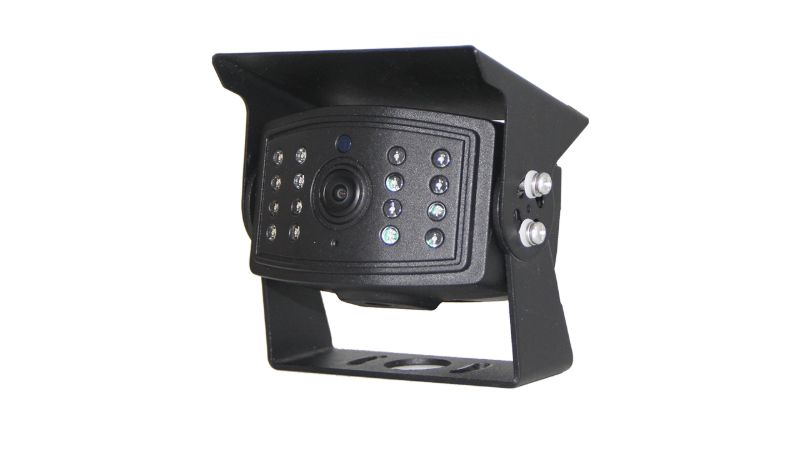
If your backup camera is clear during the day but white, milky or washed out at night, compare three things first: the lighting, the external optical surface and the mounting surroundings. Infrared reflections, surface contamination and light directed toward the camera are possible causes. A pale screen image alone does not confirm moisture inside the housing.
For a fleet technician or installer, the next useful step is a controlled comparison. Record what changes when the symptom appears, then decide whether the installation, maintenance condition or hardware needs further attention. This gives a supplier more useful information than a request to replace a camera described only as “foggy.”
What Can Make a Night Image Look Foggy?
Infrared Reflections and External Glare
Light from an infrared-equipped camera can return from nearby surfaces or material on its optical cover. Other lamps facing the camera can also affect the image. The camera’s illumination can extend beyond the displayed view, so inspect the surroundings as well as the screen.
For a vehicle installation, a nearby body panel, bracket or lamp is a candidate to investigate. Whether it contributes to the complaint depends on the actual arrangement; appearance alone does not identify the cause.
Surface Contamination or Possible Internal Moisture
Inspect the accessible optical window for residue, droplets or damage. If haze appears to be behind the window, document it for technical inspection. Do not infer a failed seal, a particular moisture-entry route or an internal construction method from the monitor picture.
These possibilities need different responses. Repeated cleaning will not diagnose an internal problem, while replacing hardware without reviewing the installation can leave an external cause unresolved.
Symptom Isolation: Choose the First Comparison
Use this table to select a check, not to declare a fault. More than one condition can contribute to the same complaint.
| What you observe | Investigate | First comparison or action |
|---|---|---|
| Clear by day, pale after dark | Night illumination, nearby surfaces and external lamps | Record the installed view and compare supported lighting conditions |
| A bright patch changes with a work lamp | Interaction between that light and the image | Repeat with one lamp variable changed; keep other settings fixed |
| Visible film or droplets outside the window | External contamination | Use the exact model’s approved maintenance procedure, then compare the same scene |
| Apparent haze or droplets behind the window | Possible internal moisture or another optical issue | Photograph the window and screen; arrange technical inspection |
| Flicker, rolling bands or signal loss | Lighting and image timing, power, connections or the video path | Record when it occurs and follow model-specific system troubleshooting |
Flicker should not automatically be labeled a loose connector or ground fault. Likewise, a change when a lamp is switched does not by itself identify the precise optical or electrical mechanism.
A Controlled Stationary Inspection
1. Capture the Baseline
Park and secure the vehicle under its maintenance procedure. Use suitable access equipment and keep people clear of moving machinery. Carry out these comparisons while stationary; follow the fleet’s operating procedure when a required camera view is unavailable.
Photograph the camera, its bracket and nearby vehicle surfaces. Record the selected channel, display settings, lighting conditions and when the complaint appears. Take a screen photo, but also describe what you see directly: a phone’s automatic exposure can change how that screen looks in a photograph.
2. Inspect the External Window
Check for visible residue, droplets, scratches or other damage, and check the monitor surface too. If cleaning is needed, follow the installed model’s instructions. The vehicle camera lens cleaning guide explains the maintenance checks to consider.
Do not prescribe a rinse, solvent or coating without confirming it is permitted for the model. After approved cleaning, compare the same scene under the same lighting. An improvement suggests the surface condition contributed; it does not rule out another issue.
3. Compare One Lighting Variable at a Time
Where the maintenance setup permits, compare the view with individual work lamps or other controllable lights on and off. Keep the camera position and display configuration fixed. Note which change affects the symptom and whether the required target area remains visible.
Include an infrared setting only if the camera provides a documented control. Some configurations offer no user adjustment. Do not cover LEDs, disconnect internal components or open a sealed housing to create a test mode. A darker view with IR disabled is not proof that the camera is faulty or that disabling illumination is a suitable permanent fix.
4. Review Aim, Clearance and the Result
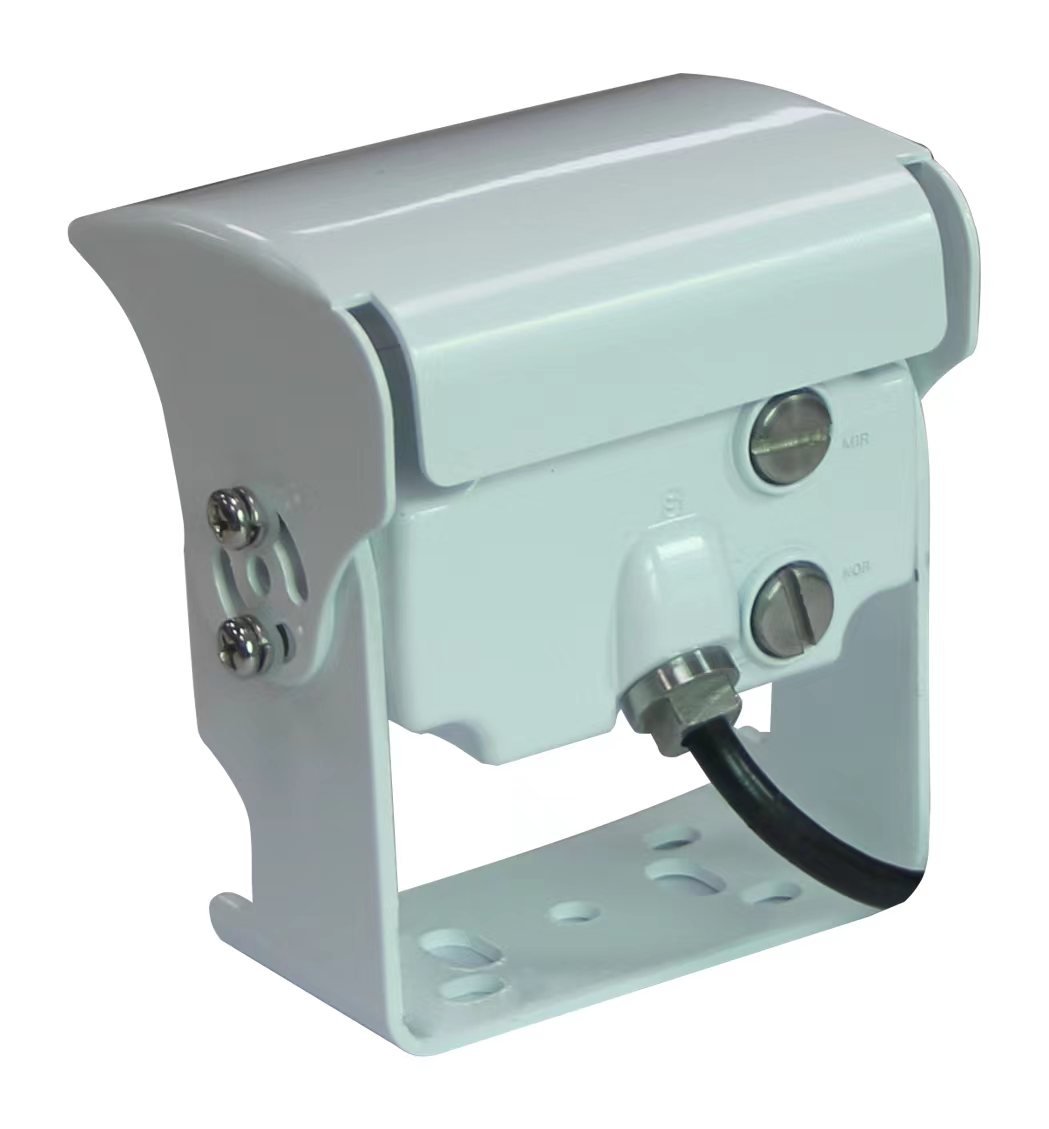
Inspect nearby surfaces, including those just outside the displayed view. If the mounting instructions permit an adjustment, compare an alternative aim or position under the same lighting. There is no universal instruction to tilt every camera downward or outward.
Keep the required working area in view. Check that any existing visor or hood is correctly fitted under the model’s instructions; do not extend or modify it as an improvised repair. Where repositioning affects detection or surround-view functions, follow the system’s service and calibration requirements.
Record the original condition, the single change made, the image result and any unresolved issue. Persistent haze, apparent internal moisture or damage needs technical review. Do not drill a vent or use heat to attempt to dry a sealed camera.
What Fleet Buyers Should Include in Sample Review
Evaluate the Actual Mounting Position
Illustrative review scenario: A rear camera looks clear on a bench, but its installed night view contains a pale region near the vehicle body. Compare that installed sample under representative lighting before deciding what to change. This is a proposed evaluation scenario, not a Xinvisual customer case or measured result.
A bench check is useful, but it does not establish performance at the final mounting position. Agree on the working area and image detail the operator needs, then record whether the proposed configuration provides them. A stationary glare check is one part of sample review, not complete operational acceptance.
Confirm the Supplied Configuration
When reviewing commercial vehicle cameras, ask which illumination arrangement, mount and any supplied visor belong to the proposed version. Confirm available controls and installation guidance rather than assuming that more LEDs, a longer hood or a feature name will resolve the complaint.
An infrared-equipped backup camera is one product option to discuss. Suitability for a particular installation still requires review of the camera, receiving device and mounting conditions. Xinvisual’s product materials establish infrared-equipped configurations; adjustable IR, heating and cleaning features require separate model-specific confirmation.
Frequently Asked Questions
Does a white night image mean water has leaked inside?
Not by itself. Compare lighting and the accessible surface, and document any apparent internal moisture for inspection. The vehicle camera fogging guide covers the separate internal-condensation topic; any environmental test needs a procedure approved for the model.
Will a camera with more infrared LEDs fix the problem?
LED count alone cannot answer that question. Identify the contributing condition and evaluate the proposed replacement in the intended installation. More illumination is not evidence that the required view will be usable.
Should we permanently disable the infrared lights?
Only consider a documented, supported configuration that provides the required view throughout the intended operating conditions. A temporary comparison or a low-light marketing label does not establish that illumination can be removed from the application.
Discuss Your Night-View Application with Xinvisual
Send your existing camera reference, a mounting photo, the affected screen view and a short description of when the problem appears. Include any stationary comparisons already completed. Existing specifications and photos are welcome; a new test report is not required before contacting us.
Xinvisual can review the application information, clarify configuration questions and identify what further evidence is needed before recommending a camera option.
Contact Xinvisual about your vehicle camera application.
Technical Reference
Axis’s IR reflection paper explains reflection mechanisms for dome cameras. Its image-quality troubleshooting guide also discusses lighting-related flicker. These provide technical context; their hardware design and controls are not Xinvisual specifications. The vehicle checks above are a proposed investigation workflow.