

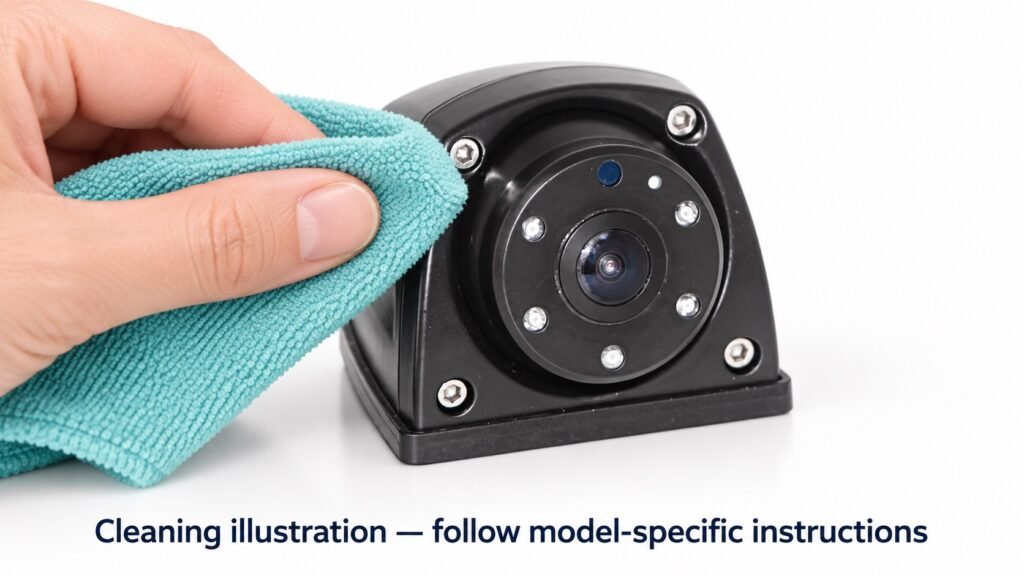
A reversing camera looks blurry after a muddy delivery. Should the technician clean it, inspect the cable, or replace the camera?
Start with the symptom. Commercial vehicle camera lens cleaning can restore a view obscured by external contamination, but it will not repair damaged optics or a video-system fault.
For many sealed cameras, the surface being cleaned is the external optical window. Routine maintenance should not involve opening the housing.
1. Identify What Is Obstructing the View
Compare the monitor image with the accessible camera surface before choosing an action.
| Observation | Possible explanation | First action |
|---|---|---|
| Visible mud or a greasy film | External contamination | Follow the approved cleaning procedure |
| Haze or droplets that appear behind the window | Possible internal condensation | Inspect and arrange technical review |
| Scratches, chips, or persistent surface marks | Optical-window damage | Assess repair or replacement options |
| Black screen, flicker, or unstable video | Obstruction or a power, signal, camera, or monitor issue | Inspect the surface, then follow system troubleshooting |
These are starting points, not confirmed diagnoses. An unchanged image after cleaning does not prove internal moisture. Check the monitor surface and settings as well.
For recurring internal haze, see our vehicle camera fogging guide.
2. Secure the Vehicle and Check the Cleaning Method
Park and secure the vehicle according to its maintenance procedures. Prevent unintended movement and use suitable access equipment for high-mounted cameras. Let hot surfaces cool before handling.
Identify the installed model and check its cleaning instructions. Confirm permitted liquids, cloths, and any restrictions on washing. If guidance is unavailable, obtain manufacturer confirmation before applying a chemical cleaner.
Do not assume a workshop glass cleaner, neutral detergent, or alcohol solution is suitable for every optical window and coating. An IP69K rating is not approval for any cleaning chemical or washing technique.
3. Clean the External Window Without Adding Damage
Remove Loose Contamination First
Avoid rubbing grit or dried mud across the optical surface. Use the debris-removal method permitted for the model. Where gentle water rinsing is approved, use it to loosen contamination before wiping; do not substitute a pressure washer.
Use Clean Optical Materials
Use a soft, nonabrasive, lint-free optical cloth. Keep it separate from cloths used on brackets, cables, or greasy vehicle parts. Replace it if it collects grit.
Apply only an approved cleaner using the specified method. Wipe gently, then check for residue. If oily contamination persists, request further guidance rather than progressing to stronger chemicals or harder scrubbing.
While accessing the camera, inspect the bracket, cable entry, and visible cable jacket. Record looseness, cracks, or damage; do not open the sealed camera or disturb connector seals as part of routine cleaning.
4. Verify the View Before Closing the Work Order
Restore power under controlled maintenance conditions. From the operator’s position, check the affected camera channel and confirm that the intended working area is visible.
Look for remaining smears, glare, obstruction, or unstable video. Confirm that cleaning did not move the camera away from its required view. If glare is the reported problem, verify under representative lighting where practical.
A clean window does not establish correct alignment. Where an AI or surround-view system requires calibration after repositioning, follow its service procedure.
5. Set Inspection Frequency Around the Application
Inspect the view during the fleet’s pre-use checks and after events likely to obstruct or disturb the camera.
- Trucks and trailers: Check after muddy routes and wash-bay visits.
- Municipal sweepers: Adjust inspection frequency to residue buildup during operation.
- Forklifts: Check the pallet and fork view after dusty work or contact near the mount.
- Construction equipment: Inspect after mud exposure and maintenance near hydraulic components.
There is no universal cleaning interval. Use inspection findings to set a routine, and clean when needed using the approved method.
6. Record the Result and Follow-Up Action
A simple record helps distinguish repeated contamination from a recurring hardware problem.
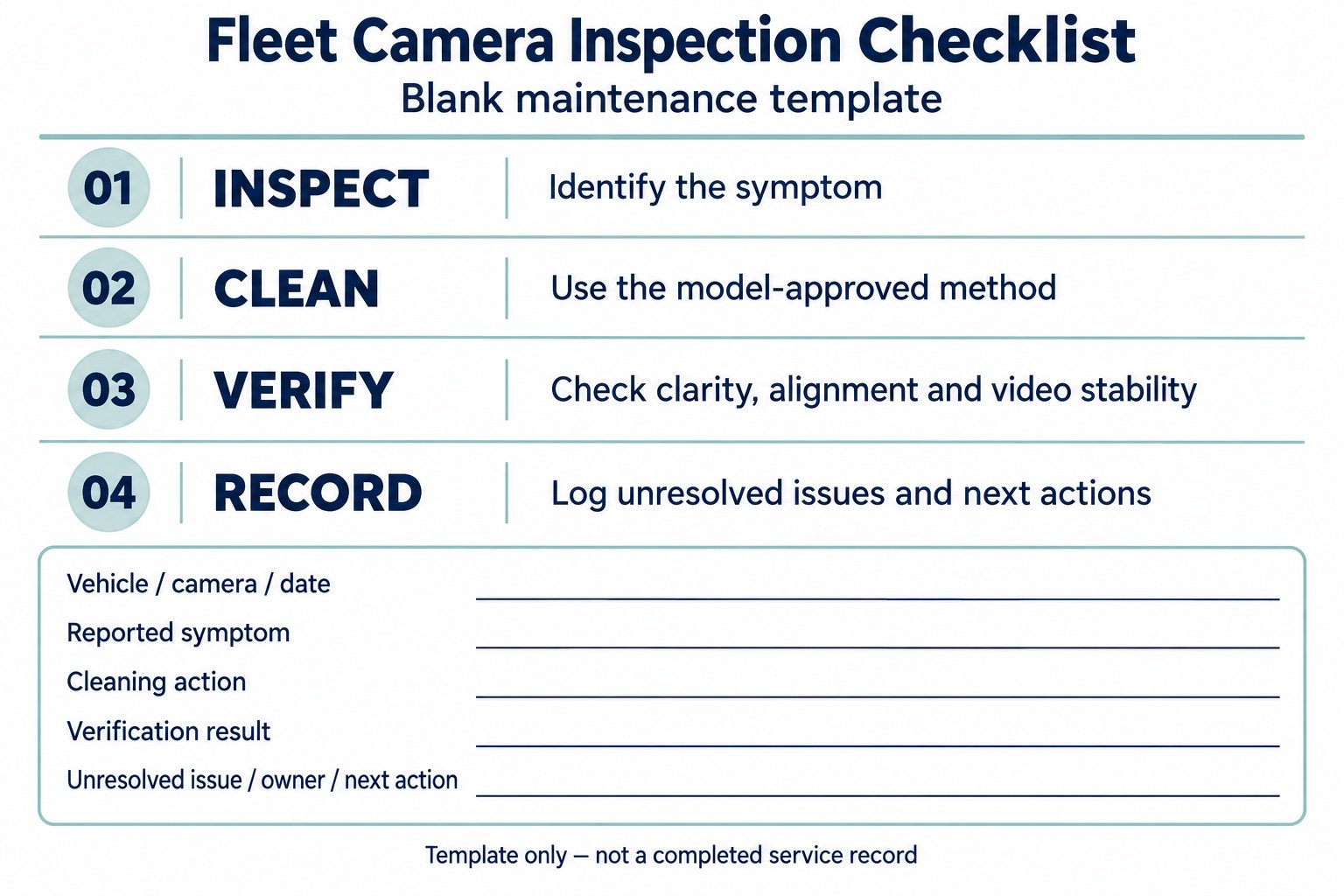
| Record field | Information to enter |
|---|---|
| Vehicle, camera, and date | Unit ID, model, position, inspection date |
| Reported symptom | Blur, blocked view, glare, flicker, or no image |
| Cleaning action | Actual method and instruction reference |
| Verification result | Clarity, alignment, and video stability |
| Unresolved issue | Fault, assigned owner, and next action |
Do not record an overall pass if an unresolved issue affects the required view. Follow the fleet’s operating procedures until it is assessed.
FAQ
Can I pressure-wash an IP69K camera?
Follow the exact model’s washing instructions. The rating alone does not establish an acceptable nozzle distance, angle, cleaner, or exposure duration for your maintenance routine.
Why is the image still blurry after cleaning?
Check for remaining residue, external damage, internal haze, alignment changes, and monitor or video-system issues. Persistent blur needs diagnosis rather than repeated wiping.
Can I use ordinary glass cleaner?
Only if it is approved for the installed model. Compatibility depends on the optical material, coating, and cleaner formulation.
Discuss Recurring Camera Visibility Problems
Send Xinvisual Electronics your camera model, installation photos, image symptom, and cleaning routine. Our team can review the application and clarify model-specific guidance or further checks needed.
Request a camera maintenance review.