

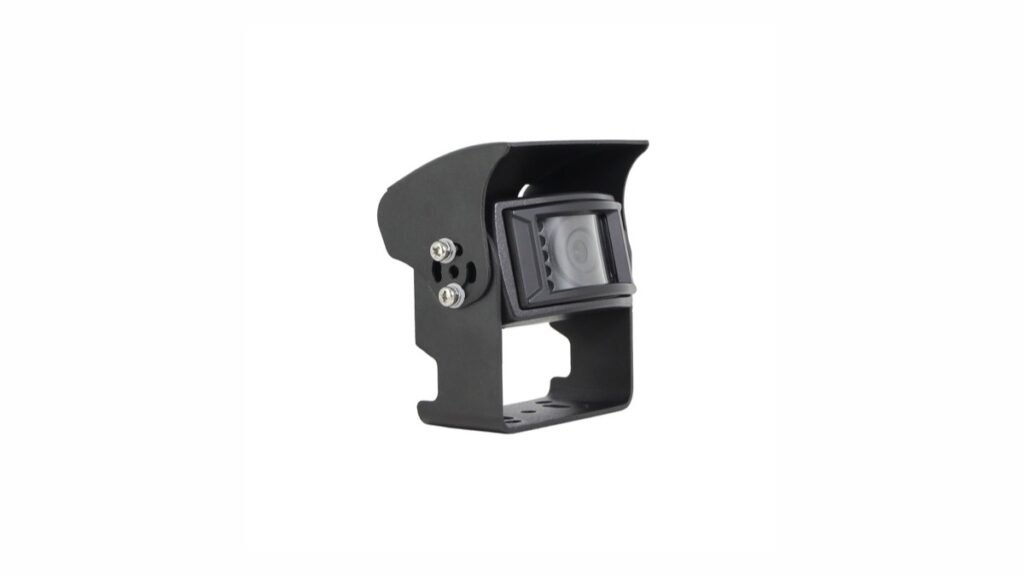
A reversing camera can look clear in even daylight and still be difficult to use at a loading-bay entrance. The camera may need to show the dark interior of a vehicle or warehouse while daylight fills the doorway. A side-view camera may face bright sky, reflective metal, and shaded road users in the same frame. For a buyer, the practical question is whether the complete camera system keeps the relevant area understandable in the lighting the vehicle will actually encounter.
Dynamic range is one specification that relates to this question. Available Xinvisual camera records list dynamic-range values for specific configurations, while listing backlight compensation, automatic gain control, white balance, and electronic shutter separately. The records do not provide a common measurement method or a guaranteed installed-image result. Treat the number as a starting point for supplier discussion, then approve the exact quoted configuration with a controlled sample test.
Quick Answer
A higher listed dynamic-range value is not enough to approve a vehicle camera. Compare only exact configurations measured under comparable conditions, then test the complete camera-to-monitor or camera-to-MDVR chain in an evenly lit scene, a high-contrast static scene, and a lighting-transition scene. Approval should confirm that the required target remains understandable in both shadow and highlight areas.
What Does Vehicle Camera Dynamic Range Mean?
In imaging, dynamic range describes the span between a bright signal that can still be represented and a dark signal that remains distinguishable above noise. A scene with a sunlit doorway and a shaded loading area places more demand on this span than a scene lit evenly. The onsemi automotive imaging discussion likewise identifies dynamic range and low-light performance as separate considerations for camera systems.
A value expressed in decibels does not, on its own, answer whether a driver will see a particular object. The visible result also depends on the vehicle camera image sensor, lens, exposure and gain behavior, image processing, video output, monitor or recorder, mounting direction, and the scene itself. Nor can values from different documents be ranked fairly without knowing that they were measured under comparable conditions.
A Listed Value Is Not a WDR or HDR Function Claim
Buyers may see the labels wide dynamic range (WDR) or high dynamic range (HDR) in other camera markets. Those labels can refer to different capture or processing approaches. Available Xinvisual product records list a dynamic-range field, but they do not confirm a specific WDR/HDR operating mode, selectable setting, multi-exposure method, or standardized test result for the referenced configurations. Ask engineering for exact-model evidence before including any such feature in an RFQ or public claim.
Dynamic Range Is Not Backlight Compensation
Backlight compensation (BLC) is listed separately in the reviewed specifications. It addresses a bright-background viewing problem through camera exposure or processing behavior. Dynamic range describes an imaging capability or measurement, while BLC is a separate function label. Neither field proves that both highlights and shadows will meet the buyer's acceptance criteria in an installed scene. For a fuller explanation of BLC, review the vehicle camera backlight compensation guide; this article focuses on how to judge the complete mixed-light result.
Keep Gain, Shutter, and White Balance Separate
Automatic gain control can make a darker portion of an image appear brighter while also making noise more visible. Electronic-shutter timing affects exposure and moving-detail appearance. White balance affects color under different light sources. These controls can interact in the visible output, but they should stay as separate lines in a specification and sample record. A dynamic-range number does not verify their settings or combined behavior.
Application Scenarios: Where Should a Buyer Test It?
These are typical test scenarios, not Xinvisual customer projects or claims of field performance.
Buyers can review the available commercial vehicle cameras as configuration starting points, but the final choice should remain tied to the exact quoted version and sample test.
Warehouse Doorway or Loading Bay
Position the camera as planned for the vehicle and include a bright doorway with a darker working area. Identify the object or zone the operator actually needs to recognize. Observe whether the object remains distinguishable when it moves between the bright and shaded parts of the frame. Repeat with the intended monitor at the expected viewing position.
Truck Side View Against Bright Sky
A side camera may include vehicle bodywork, roadway, sky, and a shaded pedestrian or cyclist zone. Set the scene so that the target is at the distance and part of the frame specified in the project brief. Compare the visible target with the surrounding highlights. Do not infer AI detection or road-use compliance from an ordinary video sample.
Reversing in a Yard at Dusk
Include reflective vehicle surfaces, work lights, and a shaded reversing area. Repeat after the lighting changes. A sample that only looks acceptable in full daylight will not answer a dusk-use requirement. If infrared illumination is required, record and test it as a separate feature of the exact camera version.
Forklift Moving Between an Aisle and an Open Door
Use a representative camera position, route, and display location. Observe the moment the scene changes from a darker aisle to a brighter door and back. Record whether useful detail is lost and whether exposure behavior returns consistently. Do not treat a warehouse scenario as evidence that any specific Xinvisual system has passed an installed-site test.
Technical Solution: A Mixed-Light Sample Approval Method
1. Define the Viewing Task Before Comparing Numbers
Write down the vehicle type, camera position, target area, target distance, time of day, and the decision the operator must make from the picture. A rear-view camera used to judge clearance has a different target from a side-view camera used to monitor an adjacent zone. Agree on what must remain visible in both the bright and dark parts of the frame. Avoid vague acceptance phrases such as “good image quality.”
2. Freeze the Exact Video Chain
Record the quoted camera configuration and specification revision, lens/viewing-angle option, video format, image direction, power arrangement, cable and connector, receiving monitor or MDVR input, and display settings. A different monitor brightness setting can change what the reviewer sees. If the system records video, inspect both the live view and playback; recorder compression and display behavior may affect the judged image. A camera specification is not a whole-system compatibility approval.
3. Build Three Repeatable Scenes
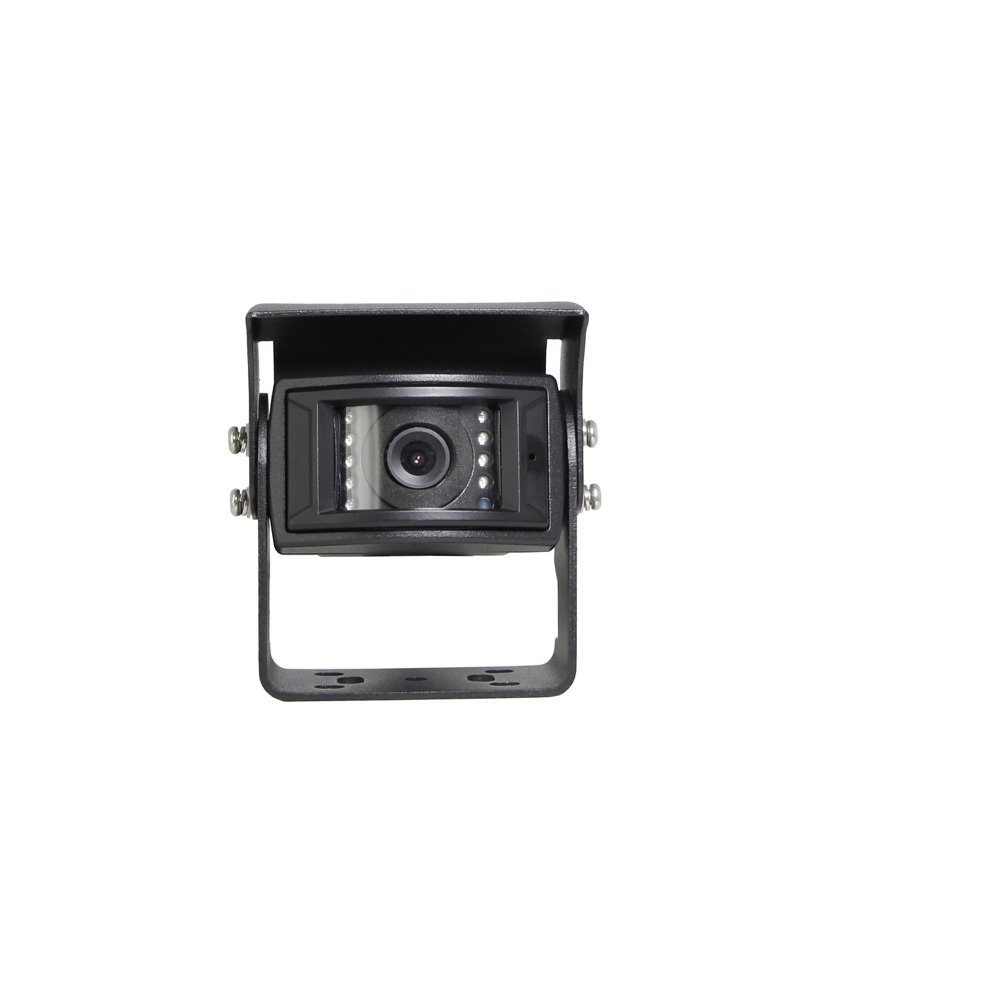
Use one evenly lit reference scene, one high-contrast static scene, and one transition scene with a moving target. Photograph the setup and note the camera height and direction, target position, lighting conditions, monitor settings, and any supplemental light. A lux reading can help repeat the setup if the meter position and method are documented, but this article sets no universal lux threshold. The correct threshold and pass criteria depend on the project.
| Scene | Purpose | Record |
|---|---|---|
| Evenly lit reference | Establish the normal image baseline. | Target detail, color, noise, display settings. |
| High-contrast static scene | Check shaded-target visibility and highlight retention together. | Shadow detail, bright-area clipping, flare, target recognition. |
| Lighting transition | Observe behavior as the scene moves between bright and dark zones. | Recovery consistency, motion smear, temporary loss of detail. |
4. Review Shadows and Highlights Independently
For each scene, ask two questions: Can the buyer's target be distinguished in the shaded zone, and does the bright zone retain enough useful detail for the task? Also note noise, color shift, flare, delayed recovery after lighting changes, and motion smear. Capturing a still frame at one favorable moment can hide transition problems, so retain a short unedited video sample when possible. Do not use an edited marketing image as acceptance evidence.
5. Compare Like With Like
When comparing two candidates, keep camera position, target, lighting, cable, receiver, and display settings as similar as practicable. Record every unavoidable difference. Ask the supplier for the test conditions behind any quoted dynamic-range value before treating two figures as directly comparable. The available Xinvisual records do not establish a common lab procedure for their listed values, so this article does not rank the referenced configurations.
6. Write the Acceptance Record Into the Purchase File
Store the approved configuration identifier, specification revision, photos or video of each scene, pass/fail notes for the viewing task, and any agreed change. If a lens, sensor, processor, firmware, monitor, recorder, or mounting position changes, review whether the sample approval must be repeated. Keep any AI warning, detection-zone, or regulatory assessment in a separate validation record.
Buyer Checklist
- What is the exact quoted camera version and specification revision?
- What does the source mean by its dynamic-range value, and is the measurement method available?
- Are WDR or HDR modes actually confirmed for that version, or are those labels absent from the source?
- Which sensor, lens, viewing angle, video format, and image direction will be supplied?
- Which monitor or recorder, input, cable, connector, power source, and display settings will be used?
- What must be visible in the shaded area and in the highlight area?
- Which lighting transition and moving-target scenes will be included in sample approval?
- Is infrared illumination required and separately confirmed?
- Who records the test conditions, images, video, acceptance criteria, and any configuration changes?
Copyable RFQ Template
Vehicle type and application:
Camera position and target area:
Required viewing distance:
Expected bright and shaded conditions:
Lighting-transition scenario:
Monitor or MDVR model/input:
Video format and connector:
Power requirement:
Infrared requirement, if any:
Estimated order quantity:
Sample approval criteria:
FAQ
Is a higher vehicle-camera dynamic-range number always better?
It may suggest a different imaging capability, but it is not a fair cross-product ranking without comparable measurement methods and the same viewing task. Evaluate the quoted camera and complete video chain in representative scenes.
Does a dynamic-range value prove the camera has WDR or HDR mode?
No. The reviewed Xinvisual sources list a dynamic-range field; they do not confirm a specific WDR/HDR operating mode for the referenced configurations. Request exact-model documentation if that capability is a purchase requirement.
Will backlight compensation solve every doorway scene?
No. BLC is one separately listed field. Target position, camera orientation, sensor and processing behavior, exposure, monitor settings, and the light transition all affect the visible result. Approve the actual sample scene.
Should the buyer test the camera or the entire camera-to-monitor system?
Both. The camera source matters, but the operator sees the image through a specific receiving, power, cable, and display path. Inspect the intended installed chain and, when recording is required, the playback path as well.
Can a mixed-light sample prove detection accuracy or legal compliance?
No. An ordinary video-image review does not establish AI detection performance, alarm response, certification, or country-specific road-use compliance. Those require separate exact-system evidence and appropriate project review.
Request a Mixed-Light Sample Review
Send Xinvisual Electronics the vehicle type, camera position, target area, lighting conditions, intended monitor or recorder, video format, connector, power requirements, and estimated quantity. Ask for the exact camera configuration and a mixed-light sample plan before approving a larger order.