

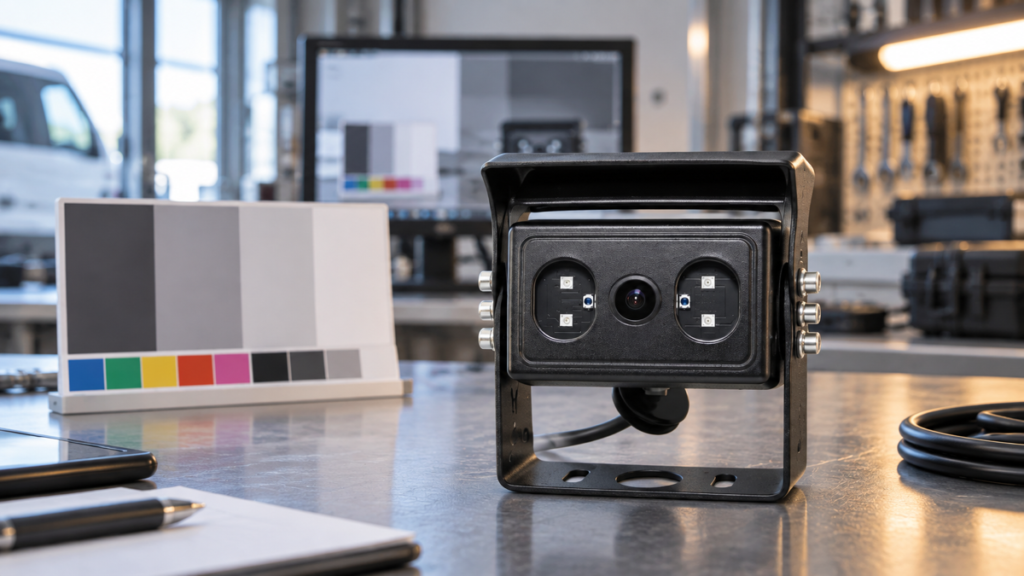
Color that looks acceptable in one product photo can shift noticeably after a vehicle camera is installed. Sunlight, warehouse lighting, LED lamps, shaded loading areas, and infrared illumination can all change the color information reaching the image sensor. The camera’s white-balance control then affects whether neutral objects look neutral or take on a blue, yellow, green, or magenta cast.
For a commercial-vehicle buyer, the practical question is not whether a quotation includes the words “white balance.” It is whether the exact camera configuration produces a usable image across the lighting transitions in the intended application. Available Xinvisual product specifications for several camera configurations state White Balance: Auto. That confirms the listed control mode, but it does not by itself confirm how quickly the image settles, how closely two production samples will match, or how the camera will behave under every lamp type.
This guide explains how to turn that short specification into a sensible sample-approval process without treating color appearance as a stand-alone purchasing decision.
What Does Vehicle Camera White Balance Mean?
White balance is the camera’s method for adjusting color channels so that objects expected to be neutral do not appear strongly tinted by the light source. A white vehicle panel may look warm under one lamp and cool under another because different light sources have different spectral characteristics. Automatic white balance, often shortened to AWB, means the camera adjusts this balance automatically rather than relying on a fixed manual setting.
In the available Xinvisual specifications reviewed for this article, the white-balance field is listed as Auto. The same sheets also list related image-chain items such as CMOS image sensors, progressive scanning, automatic gain control, automatic backlight compensation, and electronic shutter ranges. These are separate controls. Buyers should not assume that an automatic white-balance entry proves identical exposure, low-light detail, backlight behavior, or color rendering between different camera configurations.
White Balance Is Not the Same as Resolution
Resolution describes the image’s pixel format or output detail. White balance affects color appearance. A high-resolution image can still have an obvious color cast, while a lower-resolution image can show reasonably neutral colors. Evaluate both, but record them as different approval criteria. The vehicle camera image sensor guide explains why the sensor and signal path also need configuration-specific review.
White Balance Is Not Backlight Compensation
Backlight compensation addresses a scene in which a bright background can leave the main subject too dark. White balance addresses color bias from the illumination. A camera may need to manage both problems when a vehicle moves from a shaded bay toward a bright doorway. The tests should therefore note exposure visibility and color behavior separately. Use the backlight compensation sample test as a separate acceptance check.
Why White Balance Matters in Commercial Vehicle Applications
For many reversing and blind-spot tasks, object presence and position are more important than perfect color reproduction. Even so, a strong or unstable color cast can make an image harder to interpret, complicate comparisons between cameras, and create disputes when a delivered batch does not resemble the approved sample.
Truck and Trailer Exterior Views
A rear or side camera may move between open daylight, road tunnels, loading docks, and artificial yard lighting. Buyers should watch the transition rather than judging only a stationary image. A brief shift during adaptation may be different from a color cast that remains after the scene has stabilized.
Forklift and Warehouse Work
Warehouses may combine daylight near doors with LED or other artificial lighting deeper inside the building. A forklift camera sample should be checked in representative aisles, at dock entrances, and around reflective wrapping or painted racking. This is a typical application scenario, not a claim about a specific customer installation.
Bus, Coach, and Fleet Monitoring
Interior and exterior cameras can face different lighting conditions even on the same vehicle. If a system includes several camera positions, compare each channel independently. Do not assume one approved camera image proves that another housing, lens, sensor, or infrared configuration will render color the same way.
Construction and Agricultural Equipment
Dust, shade, strong sun, work lamps, and large painted surfaces can make color shifts easy to notice. The goal is a stable, understandable operational image, not studio color grading. Confirm what the operator actually needs to distinguish and test that task on the machine.
Technical Considerations Before Comparing Samples
White balance sits inside a larger imaging chain. A useful comparison controls the variables that can otherwise make two samples look different for unrelated reasons.
Confirm the Exact Camera Configuration
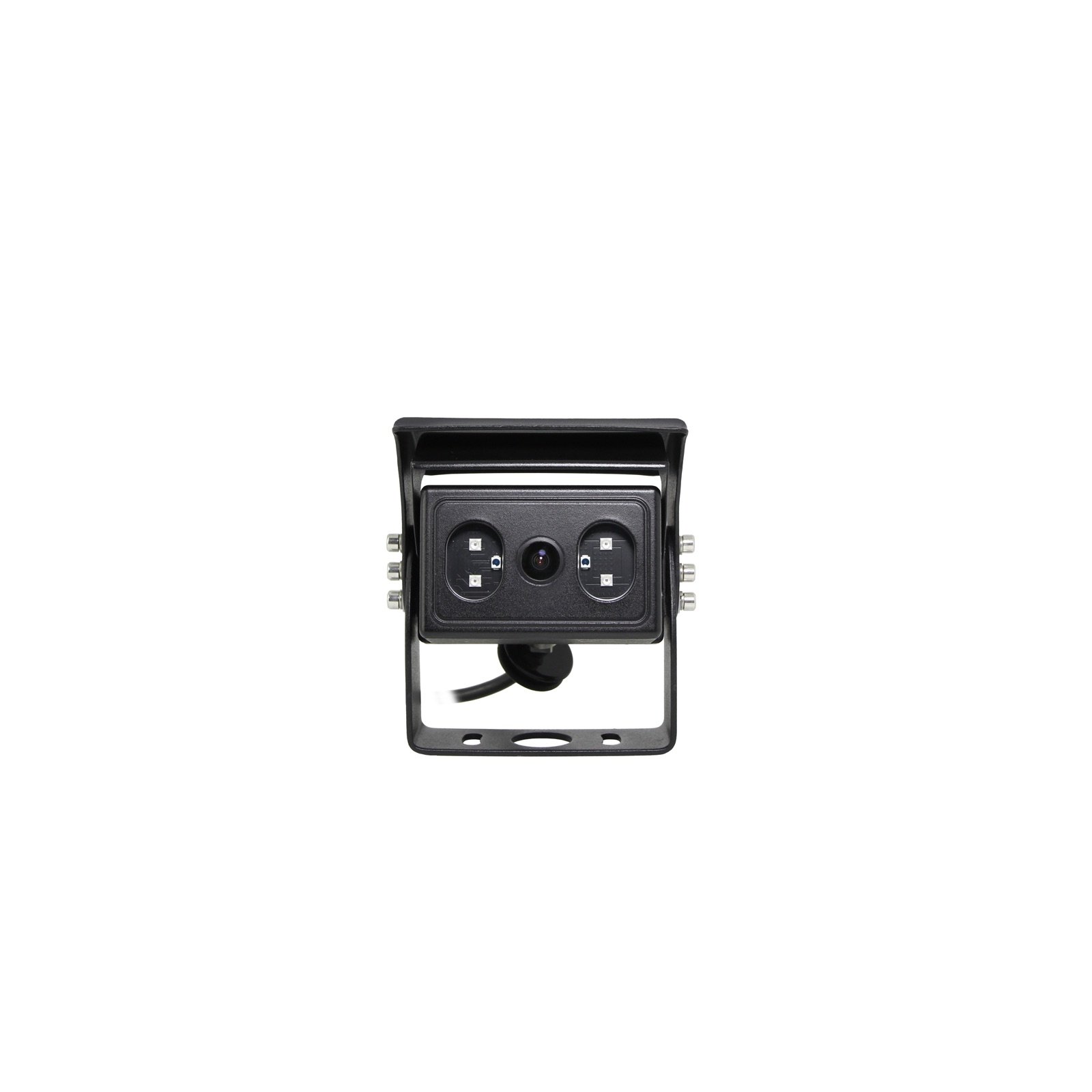
Record the camera version, image sensor, output format, resolution, lens or viewing-angle option, image orientation, night-vision configuration, connector, and power requirement. Available Xinvisual specifications show that options can vary by configuration. Public-facing content should not imply that every camera has the same combination.
The reviewed specification sheets confirm automatic white balance for the listed configurations. They do not provide a selectable color-temperature range, a manual white-balance mode, a quantified settling time, or a color-accuracy tolerance. Those points therefore remain unconfirmed and should not be converted into purchasing claims.
Keep the Display Path Constant
Compare samples through the same monitor or recorder input, using the same signal format, cable route, connector arrangement, and display settings. A monitor’s brightness, contrast, color, or picture-mode settings can change what the reviewer sees. If the receiving equipment changes between tests, the result is no longer a clean camera comparison.
Separate Daytime and Infrared Checks
An infrared-assisted night image is not a normal color-reference condition. Some cameras may display reduced color or monochrome imagery when infrared illumination is active. The exact day/night behavior must be confirmed for the ordered configuration. Evaluate daytime white balance first, then document night behavior as a separate acceptance item.
Stabilize Power and Installation Position
Use the intended supply arrangement and keep the mounting position consistent. A camera pointed toward a large bright surface may react differently from the same camera aimed at a mixed scene. The available sheets confirm power-supply options for specific configurations, but this article does not claim a universal voltage range for every Xinvisual vehicle camera.
A Practical Vehicle Camera Sample Test
The test should reproduce the buyer’s real viewing tasks with repeatable notes. It does not require laboratory color equipment unless the project specification demands quantified color performance.
1. Create a Simple Reference Scene
Include a neutral white or gray object, a dark object, and several familiar colors. Use the same scene for every sample. Avoid judging white balance from a colorful display screen or printed marketing image, because those references may introduce their own color bias.
2. Test More Than One Light Condition
At minimum, record results in daylight or an outdoor-equivalent scene, the intended indoor or work-lamp environment, and a transition between the two. Note the lamp type where known. Do not claim that a sample covers all markets or installations because it passed under one office light.
3. Observe the Transition
Move the vehicle or camera between the selected lighting conditions while recording the monitor or recorder output. Check whether the color changes, whether it settles, and whether the final image remains understandable. The available product specifications do not state an AWB response time, so the project team must define its own acceptable observation method.
4. Repeat With the Intended System
Connect the camera to the monitor, MDVR, wireless link, or other receiver planned for the project. A bench image on different equipment is useful for diagnosis but should not replace approval on the intended signal path. Record the vehicle camera frame rate and display mode separately so that motion behavior is not confused with color adjustment.
5. Compare Multiple Samples
When repeat-order consistency matters, compare more than one sample using the same setup. Record visible differences rather than relying on memory. If color consistency is a contractual requirement, define the acceptance method with the supplier before production because no numerical color-tolerance specification was found in the reviewed Xinvisual files.
Product and System Selection Guidance
Start with the viewing task, then use white balance as one line in the approval matrix.
For a basic reversing view, prioritize field of view, signal compatibility, mounting, image orientation, environmental protection, and visibility in expected lighting. For an MDVR system, also confirm the recorded output rather than approving only the live monitor image. For multi-camera systems, confirm whether the cameras are intended to match visually and whether each position uses the same configuration. For AI detection applications, keep visual image acceptance separate from detection-function validation; automatic white balance alone does not prove the performance of a BSD AI vehicle camera.
The safest RFQ wording is configuration-specific: ask the supplier to identify the exact camera version, state the white-balance mode available for that version, provide the related signal and power details, and agree on a representative sample test. Avoid requesting “perfect color in all lighting,” which is not a measurable acceptance requirement.
Common Buyer Mistakes
- Approving from a catalog image. A product photo does not show the camera’s video behavior under the buyer’s lighting.
- Treating Auto as a performance guarantee. It confirms a control mode in the reviewed sheets, not a response-time or color-tolerance result.
- Changing the monitor during comparison. Display settings can disguise or exaggerate a camera difference.
- Mixing daytime and infrared results. Night-mode behavior needs its own acceptance record.
- Ignoring transitions. A static image may look acceptable even when a route between indoor and outdoor areas creates noticeable shifts.
- Approving an unspecified option set. Sensor, lens, signal, voltage, night vision, and connector choices must match the final order.
- Using color as the only decision. A neutral-looking image does not prove correct viewing angle, waterproofing, signal stability, or installation fit.
Buyer Checklist
- Define the vehicle, camera position, viewing task, and expected lighting changes.
- Confirm the exact ordered camera configuration and specification revision.
- Verify the listed white-balance mode for that configuration.
- Record sensor, resolution, output format, lens or viewing angle, image mode, connector, power, and night-vision option.
- Use the same monitor or recorder and the same display settings for comparisons.
- Include a neutral reference and familiar colors in the test scene.
- Test representative daylight, work-light, indoor, and transition conditions.
- Review daytime and infrared-assisted operation separately.
- Compare more than one sample when repeat-order consistency matters.
- Save test clips, setup photos, cable details, display settings, and approval notes.
- Mark AWB response time and numerical color tolerance as unconfirmed unless separately agreed.
- Freeze the approved configuration for quotation, purchase order, production, and incoming inspection.
FAQ
Is automatic white balance standard on every Xinvisual vehicle camera?
No universal claim should be made. The reviewed Xinvisual specifications list White Balance: Auto for several specific camera configurations. Buyers should confirm the field on the exact version being quoted.
Does automatic white balance guarantee accurate color under every lamp?
No. The available sheets confirm the automatic mode but do not provide a universal lamp-compatibility guarantee, response time, or numerical color-accuracy tolerance. Test the intended lighting conditions.
Should a vehicle camera be rejected if its color changes during a lighting transition?
Not from that observation alone. Record how the image changes, whether it settles, and whether the final view meets the operational requirement. Define an acceptable method before sample approval if transition behavior is critical.
Can white balance be approved through an MDVR recording?
Yes, when recording is part of the project, but the complete path must be controlled. Use the intended camera, cable, recorder input, recording settings, playback method, and display. Compare live and recorded views if both matter.
Request a Camera Configuration Review
Already have a camera specification or sample-approval requirement? Send Xinvisual Electronics your vehicle type, camera position, lighting conditions, receiving equipment, required image configuration, and estimated quantity. The team can review the configuration match and identify which white-balance and image conditions still require sample confirmation.