


Cover: AI-generated fleet depot illustration supplied for this guide; not a Xinvisual customer installation or test.
There is no fixed catalog answer to “how many days of video will this MDVR hold?” Retention is a calculation, not a hardware feature. It is governed by five inputs:
- Active recording channels — how many cameras actually write data
- Resolution and recording quality — 1080P, 720P or D1, and the encoder settings behind them
- Frame rate — per channel, not per system
- Recording hours per day — engine-on hours plus any parking or trigger-based recording
- Usable storage capacity — what remains for recordings after formatting and any protected files
Quoting a retention figure from a brochure’s maximum disk capacity can lead to an over-promise — and the shortfall only surfaces when a claim arrives and the footage has already been overwritten. Work through the five inputs, run the calculation, then validate it on a sample system before you quote a fleet a number of days.
A fleet manager thinks in liability windows, not terabytes: “If an incident happened last Thursday but the complaint reaches me next Wednesday, will the footage still be there?”
A storage dispute can start from an unwritten assumption. Consider this illustrative mismatch: The buyer remembers “the vendor said a month of footage.” The installer remembers “we fitted the 1 TB drive on the purchase order.” Neither side documented the channel count, bit rate, daily schedule or overwrite rules that connect capacity to calendar days. Agree the retention target first — in days, in writing — then size the system to meet it.
Document the inputs before calculating recording days
| Input | What to document |
|---|---|
| Recorded feeds | Only cameras configured to record, from the approved camera map (front, rear, side, interior, door, cargo). Mark display-only views separately — they write nothing. |
| Resolution and quality | The recording profile per feed. The related Xinvisual 4/8-channel MDVR platform records 1080P, 720P or D1 (H.264) with adjustable frame rate and quality — the same recorder gives very different retention under different profiles. |
| Frame rate | Frames per second per channel. Road-facing views are often run higher; static interior or cargo views can run lower. Record it per channel. |
| Recording hours per day | The actual schedule: ignition-controlled, continuous, trigger-based or parking recording, including post-ignition delay. If daily use is averaged over calendar days, the result is calendar-day retention. If it covers only operating days, convert the result using the fleet schedule; a recording day is not necessarily 24 hours of footage. |
| Usable storage | Capacity available for recordings after formatting, system use and protected event files. Confirm supported media, installed capacity and usable space for the exact model quoted. Platform maxima are not a retention promise for a specific configuration. |
Do not assume every channel writes the same amount of data. A front road view in moving traffic, a mostly static cabin view and a trigger-only side view can all have different settings and schedules. Where feeds differ, calculate each feed separately and add the daily totals.
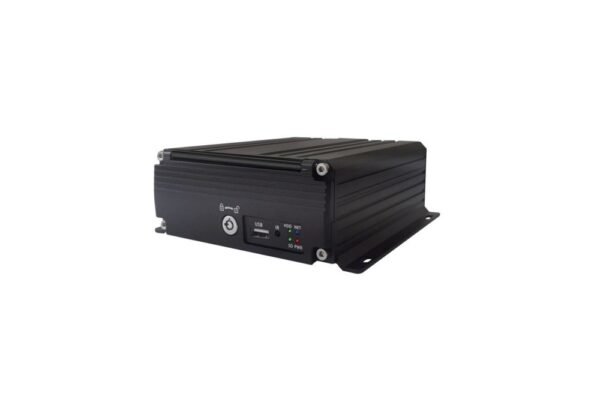
MDVR storage recording days: the calculation
When the average bit rate per feed is known:
- Data per channel per hour (GB) ≈ bit rate (Mbps) × 0.45 (the 0.45 factor converts megabits per second to decimal gigabytes per hour)
- Daily storage (GB) = sum over all feeds of [data per channel per hour × recording hours per day]
- Retention days ≈ usable capacity (GB) ÷ daily storage (GB)
This is a planning calculation, not a guarantee. With variable bit rate, a complex scene can require more data than a static scene at comparable quality settings. Constant or capped bit-rate modes behave differently; confirm the selected encoder settings. Scene content, audio, file-system overhead and locked event files all move the real figure. That is why the estimate must be checked against a measurement.
For technical background, Axis explains how bit-rate control affects storage. This is general encoder background, not a statement that Xinvisual uses Axis features. GB here means decimal gigabytes; convert GiB readings before comparing them with these examples.
Illustrative storage estimates for 4, 6 and 8 channels
The examples below assume a constant 2 Mbps per channel and 10 recording hours per day, purely to show how the math moves. At 2 Mbps, one channel writes about 0.9 GB per hour, or about 9 GB over a 10-hour day. 2 Mbps is not a Xinvisual product specification, and the usable capacities (950 GB / 3,800 GB) are assumptions to replace with the selected recorder’s real figures.
| Configuration (illustrative: 2 Mbps/channel, 10 h/day) | Data per day | Approx. days at ~950 GB usable | Approx. days at ~3,800 GB usable |
|---|---|---|---|
| 4 channels | ~36 GB | ~26 days | ~106 days |
| 6 channels | ~54 GB | ~18 days | ~70 days |
| 8 channels | ~72 GB | ~13 days | ~53 days |
Two patterns worth quoting from:
- Channels multiply, capacity divides. Going from 4 to 8 channels at the same settings doubles daily data and roughly halves retention. To hold the same days when doubling cameras, double the storage or adjust settings only where the required evidence quality remains acceptable.
- Hours matter as much as hardware. The same 4-channel system recording 8 hours instead of 10 writes about 29 GB a day, stretching ~950 GB from ~26 to roughly 33 days.
Validate the estimate on a sample system
A one-hour bench recording gives a first data-rate check, but one quiet hour may not represent a vehicle’s real route. For a figure you can put in a quotation:
- Configure the exact recorder, storage medium, cameras and recording settings proposed for the order.
- Record every required feed at the same time, using the intended schedule and trigger behavior.
- Run the system through a representative duty cycle and measure the recorded data generated. On systems using preallocated or proprietary storage, free-space change may not represent recorded data; use the recorder’s supported usage report or measured recording files instead.
- Check playback: all views present, timestamps correct, protected files behaving as expected.
- Calculate daily use and retention from the observed data, and label any extrapolation as an estimate.
- Confirm overwrite behavior, and export one important clip to prove the workflow end to end.
If the sample can only run a shorter test, record the test conditions and treat the result as provisional. Fleets with different vehicles, schedules or environments may need separate validation per vehicle group.
Settings that change the retention window
- Continuous vs. event-triggered recording. Where supported, setting cargo or reverse cameras to record only on a trigger (door switch, reverse gear, G-sensor) reduces daily data — but only while the trigger wiring works. A failed door sensor means missing footage, not saved space. Test triggers on the sample vehicle.
- Overwrite and locked files. Most MDVRs loop-record, overwriting the oldest unprotected footage. Confirm for the exact model how protected event files are handled and whether they reserve space; locked files that are never cleared steadily shrink the space available for new recordings. Agree who can lock, export and delete files.
- Audio. Cabin audio adds data, and in many markets recording drivers or passengers is restricted by labor or privacy rules. Confirm whether audio is permitted for the vehicle type and territory before enabling it.
- Parking mode. Post-ignition recording can turn a 10-hour day into an 18- or 24-hour one. Confirm it is supported by the selected configuration, and the battery budget and shutdown protection are suitable for the installation; verify cutoff behavior rather than assuming it prevents every battery-discharge problem.
- Storage media. Continuous multi-channel writing is hard on flash media. Confirm which media type and capacity the exact recorder model supports and recommends for the vehicle’s vibration and duty cycle, and verify recording and playback on the sample — do not assume any SD card or disk suits any recorder.
If a fleet is losing recordings unexpectedly, storage sizing is only one suspect — our guide to why vehicle DVR systems lose recordings covers card, power, settings and wiring causes that can mimic a capacity problem.
Agree on the retention target before quoting
Before sizing anything, ask three questions. How long after an incident is footage usually requested? Size for the slowest realistic request, plus margin. Does any contract, customer or local rule set a minimum retention period? Requirements vary by market, vehicle type and contract — confirm them for the actual deployment. And which views must survive longest? Views may have different retention requirements; document them and confirm whether the recorder can implement separate policies. Choose a documented margin based on the project; there is no universal rule that doubling the request delay is sufficient.
Channel count and storage must be decided together — see our 4-channel vs. 8-channel MDVR guide before fixing either one in a quotation.
Buyer acceptance checklist
- Retention target agreed in days, with the reasoning written down
- Every recording channel mapped; display-only views separated out
- Resolution, quality, frame rate and schedule defined per channel
- Storage media, capacity and usable space confirmed for the exact model
- Sample measured over a representative duty cycle; observed data rate recorded
- Retention recalculated from the measured rate and labeled as an estimate
- Overwrite, protected-file and export rules agreed and tested
- Power, shutdown and parking behavior tested on a representative vehicle
For the wiring and power side of that last item, see our fleet camera installation tips.
Frequently asked questions
How many days will a 1 TB MDVR record?
Capacity alone cannot answer that. As an illustration only: 4 channels at an assumed 2 Mbps for 10 hours a day write about 36 GB daily, giving roughly 26 days on about 950 GB of usable space. Your figure depends on recorded feeds, settings, hours, usable capacity and protected files — measure the sample configuration for a project number.
Does an 8-channel MDVR keep fewer days than a 4-channel unit?
With the same storage and comparable settings, yes — more recorded feeds write more per day. But channel count alone does not decide it: bit rates, schedules and trigger behavior also matter. Select channels and storage together, then test the intended configuration.
What happens when MDVR storage is full?
Typically, loop recording overwrites the oldest unprotected segments first, while event files marked as protected are kept until exported or cleared. Confirm the exact behavior for the model you are quoting, and test it — protected files that accumulate will shorten the effective retention window.
Can event-triggered recording extend retention?
It can reduce recorded hours if triggers fire as intended, but the saving depends on how often recording is activated and how triggers are configured. Test trigger behavior and actual storage use on the sample system rather than promising a figure.
Plan your fleet recording requirement
Send Xinvisual your vehicle types, camera positions, the number of recorded feeds, the daily recording schedule and your retention target in days — plus monitor size and environment where relevant. We will review the proposed MDVR configuration against that target and flag anything that needs confirmation before sample approval.
Contact: info@xinvisual.com · MDVR systems · Contact page