

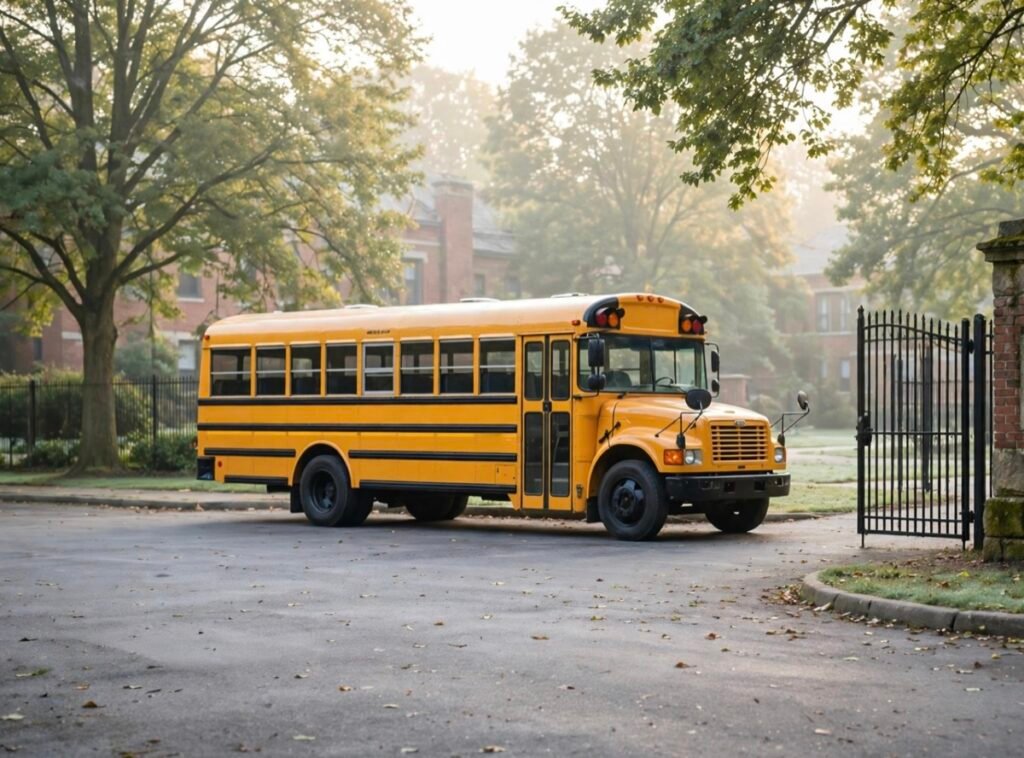
Cover image: AI-generated school bus scene supplied for this guide. It is not a Xinvisual customer installation or product test.
A school bus camera system should start with a map of the views the fleet needs: loading and unloading areas, passenger seating, the door and step well, and the surroundings used during low-speed maneuvering. Then specify which views the driver sees, which are recorded, how long recordings must remain available, and who can retrieve them. Camera count alone does not answer those questions.
This school bus camera system buyer guide is for school transport fleets, distributors and installers planning a sample installation. It separates ordinary incident recording from stop-arm enforcement, and driver visibility from recorded evidence. The final configuration must match the bus, the operating market and the school authority’s requirements.
1. Define four jobs before choosing cameras
| Job | Question to answer | What to specify |
|---|---|---|
| Loading and unloading review | What happened near the door, crossing area or stop arm? | Relevant exterior views, event timing and required visible details |
| On-board incident review | What happened in the seating area or step well? | Interior coverage, lighting, recording permissions and access controls |
| Low-speed maneuvering | What can the driver see around the bus in the yard? | Rear, side and front views; stitched surround view only where specified |
| Evidence handling | Can an authorized reviewer find, preserve and open the right clip? | Recorder, timestamps, retention, export procedure and responsible staff |
Mark each camera and its purpose on a drawing of the actual bus. Include bus length, door positions, seat layout, mirrors, stop arm where fitted, cable routes and display location. A reversing view may be useful for maneuvering but may not show the detail needed to review an incident beside the entrance.
2. Stop-arm camera requirements: distinguish review from enforcement
Loading and unloading involve people moving near the vehicle and traffic passing nearby. NHTSA’s school bus safety guidance emphasizes the risks around stopped buses and the importance of established boarding, crossing and stopping procedures. A camera supports observation or review; it does not replace those procedures.
Current school-bus offerings combine several different functions, so buyers should separate them in the quotation. An exterior recording camera, a driver-view camera and a certified enforcement system are not interchangeable. For example, PennDOT’s automated school bus enforcement program identifies specific requirements and certified systems. That is a jurisdiction-specific example, not an approval for Xinvisual equipment or a rule for every market.
- Define recognizable detail. Does the project need the deployed arm, the adjacent lane, a passing vehicle, or readable plate detail? Assess framing, distance, motion, glare and night lighting on the installed sample. A wide scene view does not guarantee plate readability.
- Define event coverage. Specify continuous or triggered recording, and any required footage before and after the event. Confirm the exact recorder’s supported behavior and the bus manufacturer’s permitted signal interface.
- Define the evidence workflow. Identify the authority that reviews footage, required timestamps or event data, export format, access permissions and preservation procedure. An acceptable sample image alone does not establish legal admissibility or enforcement approval.
Check the view with the door open and closed and, where fitted, the stop arm deployed. Ensure brackets and cables do not obstruct the arm, lamps, mirrors or emergency access. Never create an illegal-passing situation on a public road to test a camera. Use a controlled evaluation arranged by the responsible fleet personnel.
3. Interior camera placement: coverage and privacy
Interior recording can help review passenger incidents and complaints, but its value depends on what remains visible when seats are occupied. Seat backs, standing occupants, window glare and lighting changes can obscure a view that looked clear in an empty bus.
| Candidate view | Purpose | Sample check |
|---|---|---|
| Front or middle aisle | Passenger seating and movement | Visibility past seat backs, window backlight and usable detail toward the rear |
| Entrance and step well | Boarding and alighting review | Door movement, bright daylight outside and changing step lighting |
| Rear interior | Coverage of rear seating where needed | Overlap with other views and areas hidden by occupied seats |
| Driver or front cabin | A specifically approved operational purpose | Recording permission, scope, audio policy and authorized reviewers |
Agree on recording purpose, notices, audio settings, who can view or export clips, the retention schedule and the process for responding to requests before installation. For US education projects, the US Department of Education’s FERPA video guidance explains that footage can become an education record depending on its relationship to a student and how it is maintained. Do not assume every recording is public, or that a generic camera specification establishes compliance. Have the school authority confirm the applicable privacy and employment requirements.
Evaluate occupied-seat obstructions with an authorized, controlled setup; adult stand-ins can help assess sightlines without collecting unnecessary student footage. Avoid using identifiable pupil recordings as marketing or routine supplier test material.
4. Surround view helps maneuvering; verify recording separately
A stitched surround view combines multiple camera images into a composite view around the vehicle. It can support low-speed observation in a depot or school yard, but it is not an unobstructed overhead camera and does not guarantee that every object is visible. Check seams, near-body areas and image distortion on the actual bus.
Define three separate requirements: the driver’s live view, the original camera channels to be recorded, and whether the stitched composite must also be saved. The surround-view processor may record internally, feed a separate recorder, or require another arrangement. Confirm supported outputs and recording paths before assigning MDVR channels.
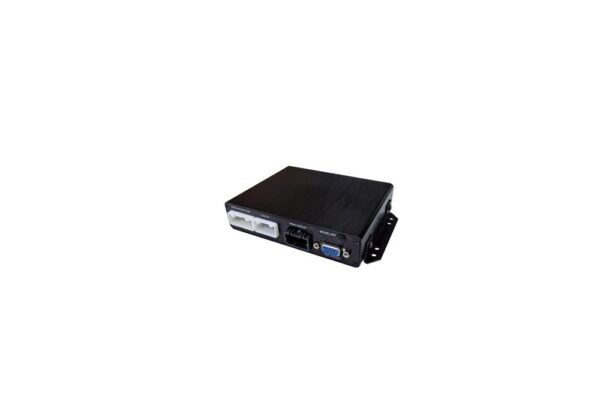
The Xinvisual surround-view system includes panoramic processing and recording support in the documented configuration. Confirm the quoted cameras, storage, display and interfaces for the project. Detection alerts, if requested, require their own configuration and acceptance checks; they are not implied by the presence of a live image.
Calibration belongs in the installation scope. Have the installer demonstrate the view on the actual bus and recheck it after camera movement, replacement or relevant body work. Use suitable static targets in a controlled area and keep observers clear during maneuvers. Do not place children near a moving bus as test targets. Cameras supplement the driver’s observation, mirrors and operating procedures.
5. Match MDVR channels, storage and power to the camera map
Count recorded inputs, not screen tiles
For a conventional one-camera-per-input arrangement, each independently recorded camera needs a compatible recorder input. A display showing several tiles does not prove those views are stored separately. Likewise, recording one composite output may use one input while losing the ability to export the original views individually. Confirm the complete signal path.
Four inputs may fit a limited four-view requirement. A layout with extra interior, door or stop-arm-area views can need more. Eight inputs are not automatically sufficient for every school bus. Keep a channel schedule showing camera location, signal format, live display, recording destination and any reserved expansion. See the 4-channel versus 8-channel MDVR guide for the wider channel-planning process.
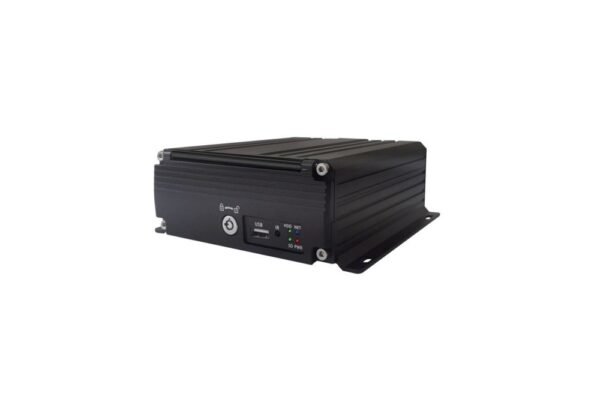
Xinvisual’s documented hard disk MDVR platform has four- and eight-channel versions, with multi-channel playback and optional communication features. Verify the version, software and supplied options during sample approval. A recorder does not become an approved stop-arm enforcement solution simply because it supports multiple channels.
Specify retention and clip handling together
Set the review window first, then estimate storage from active channels, recording hours, resolution, frame rate, compression and quality settings. Validate the result on the sample. A drive capacity alone is not a promise of a particular number of days.
Define how an incident clip is preserved before normal overwrite, who can export it, which player or software is required, and whether timestamps and relevant event information remain usable. Test the exported file on the fleet’s intended computer, not only on the recorder. The MDVR video export checklist provides a focused acceptance workflow.
If remote access or depot downloads are required, confirm network coverage, modules, data service, software licensing, account permissions and support responsibility. Treat these as separately quoted capabilities, not automatic features of every MDVR.
Verify power for each component
Record the actual bus supply and approved connection point. Check the recorder, cameras, monitor, processor and accessories separately for operating range, current demand, protection and any converter requirement. Confirm startup and shutdown behavior, including any required recording after ignition-off. Do not apply one monitor’s voltage range to the whole system or assume nominal battery voltage establishes compatibility.
6. Approve a representative school bus installation
Agree on pass/fail criteria, the responsible reviewers and a controlled test plan before a fleet order. Use an authorized driver and installer, with the bus secured for adjustments. Evaluate representative lighting and operating conditions without staging hazards or disrupting pupil transport.
- Exterior views: check door and stop-arm positions, daylight, low sun, darkness and representative wet conditions where safe. Record any untested condition.
- Interior coverage: check occupied-seat obstructions, step lighting, glare and approved driver-area coverage.
- Driver display: check sightlines, reflections, trigger switching and view labels without obstructing controls or required observation.
- Surround view: verify calibration, seams and relevant clearances on the bus, including controlled turns.
- Recording: play back every required view, compare timestamps and open an exported test clip on the fleet’s computer.
- Retention and access: verify overwrite settings, incident preservation and authorized review/export procedures.
- Installation durability: inspect mounting, strain relief, connectors and cleaning access. Confirm ingress protection and cleaning suitability for each exposed component; a housing rating does not cover every connector or cleaning chemical.
- Power and recovery: verify approved startup, shutdown and restart behavior, plus the process for identifying missing video or recording faults.
Keep the camera map, wiring and channel schedule, settings, sample results and limitations with the approved bill of materials. Repeat affected checks when the bus body, camera position, firmware, recorder or storage configuration changes. One successful sample does not validate every route or vehicle variant.
Warranty: Xinvisual provides a one-year warranty. Confirm the specific coverage and service procedure in the order and written warranty terms.
Frequently asked questions
How many cameras does a school bus need?
There is no universal number in this guide. Count the required exterior, entrance and interior views, then identify which need independent recording. Choose recorder capacity from that documented map, including the surround-view recording path and approved expansion.
Can an ordinary bus camera be used for stop-arm enforcement?
Do not assume so. Image detail, event information, system approval, processing and evidence requirements depend on the jurisdiction and program. Obtain the responsible authority’s requirements before selecting an enforcement configuration.
Does 360-degree surround view replace mirrors or record every camera?
Neither should be assumed. It supplements observation and safe operating procedures. Confirm whether the selected system records original channels, a composite, both, or neither, and demonstrate the required export.
Should every exterior camera be specified as IP69K?
Specify protection against the actual exposure and cleaning process. Verify the exact model’s documented rating, test conditions, cable entry and connector arrangement. Do not assign an IP rating to an entire installed system based on one component.
Plan your school bus camera project
Send Xinvisual the bus type and body layout, operating country or district, proposed camera map, monitor location, approved power supply and environmental conditions. State which views need live display or recording, the review window, export workflow and any separately assessed enforcement requirement.
Review our fleet camera monitoring solution or contact Xinvisual at info@xinvisual.com to discuss a matched sample configuration. The camera, display, recorder and installation responsibilities should be agreed before fleet rollout.